
Push/Pull Is Live: A Clean Workout Tracker App for Any Training Split
Push/Pull is now live on the App Store: fast set logging, templates for any split, progressive overload tracking, and squads for accountability.

Push/Pull is officially live on the App Store.
If you have been searching for a workout tracker app that feels calm, fast, and built for real training, this is the launch post you have been waiting for. Push/Pull is a gym log and strength training app that helps you plan sessions, log sets, and track progress without spreadsheets or clutter.
Quick clarification: Push/Pull is the name. The app supports many training splits. Use it for PPL, upper/lower, full body, bodybuilding splits, or your own custom routine.
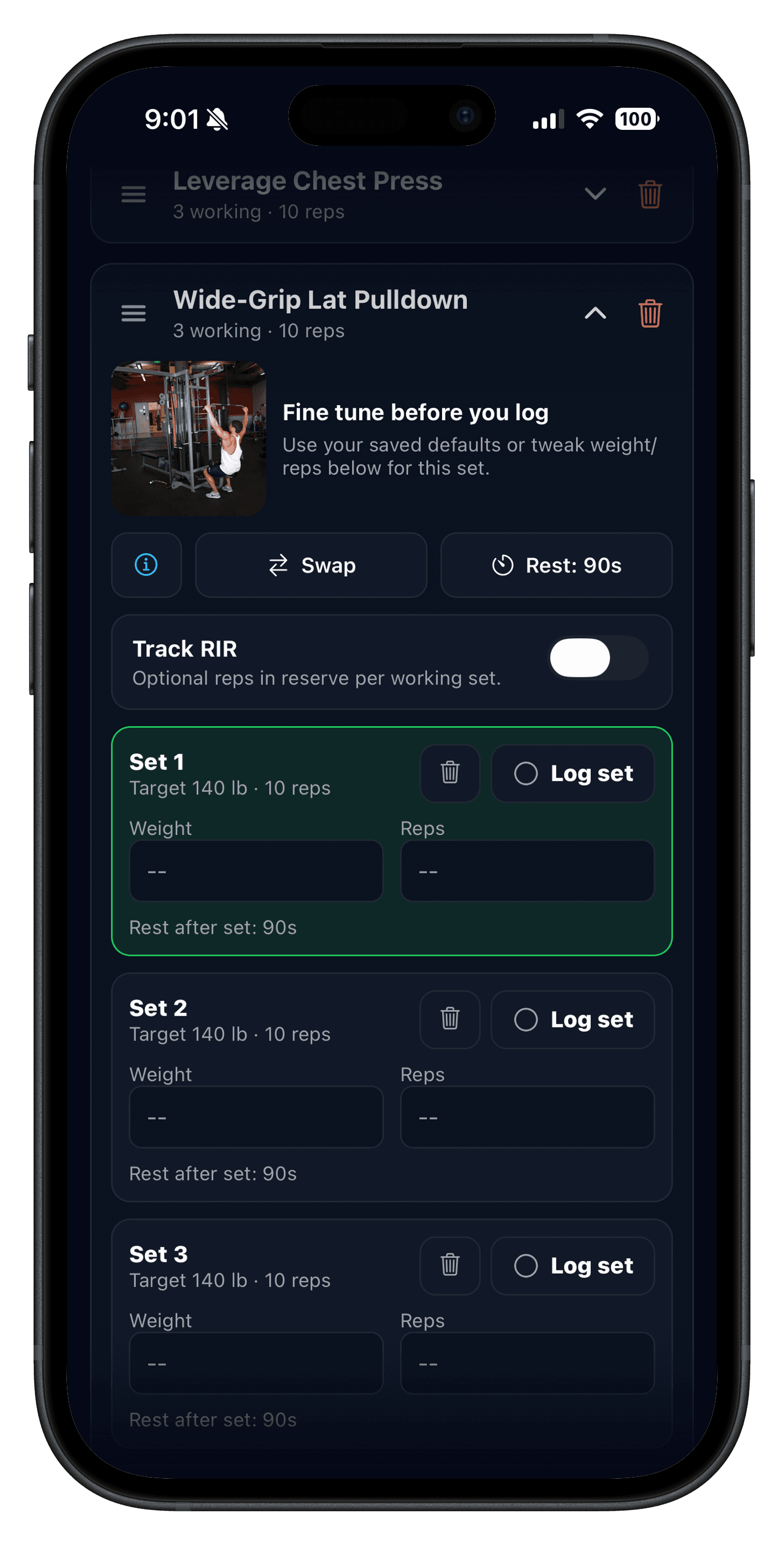
- Log sets, reps, weight, warm-ups, and optional RPE/RIR with a built-in rest timer.
- Save workout templates for any split: PPL, upper/lower, full body, or your own plan.
- Review workout history, streaks, volume, and progress so progressive overload stays simple.
- Train with friends using squads for accountability and lightweight workout sharing.
What is Push/Pull?
Push/Pull is an iPhone workout log app built around the basics that drive results: consistent training, repeatable routines, and clear progression. It works like a training log you will actually use: quick to open mid-workout, easy to update between sets, and organized enough to see patterns across weeks.
People describe this category a dozen ways: gym tracker, workout journal, weightlifting tracker, set tracker, or reps and weight tracker. They all boil down to the same job: help you train today, and make tomorrow's session smarter.
Explore all Push/Pull features
Built for any training split (PPL, upper/lower, full body)
Whether you train PPL, upper/lower, full body, or a bodybuilding-style split, Push/Pull is designed around reusable routines. Build templates once, then show up and log.
- Create templates with exercises, sets, reps, rest, and notes (great for PPL, upper/lower, or custom splits).
- Reuse your best routines instead of rebuilding sessions every time.
- Swap exercises without losing the structure of your day.
Progressive overload tracking without spreadsheets
If your goal is strength, muscle, or both, you need a system for progressive overload. That does not mean you need complicated programming. It means you need to see what you did last time, then improve one thing: a rep, a little weight, a cleaner range of motion, or a better rest interval.
Push/Pull keeps the signals close while you train: previous workout values, best weight, volume totals, and quick history so progression decisions feel obvious in the moment.
Progressive overload explained
A social workout app (without the noise)
A great plan fails without consistency. Push/Pull treats accountability as a feature, not an afterthought. Squads are intentionally small so your feed stays supportive and relevant.
- Share a workout summary after you finish, including volume and PR callouts.
- React and comment to keep momentum high and excuses low.
- Share templates with a friend so you can run the same split.
Social workout app accountability
Get started in 5 minutes
- Download Push/Pull, then pick a split (PPL, upper/lower, full body, bodybuilding, or custom).
- Create a template for your first session (or start ad-hoc and turn it into a routine later).
- Log sets with reps and weight, and use the rest timer to stay consistent between sets.
- After the workout, check the recap and history so your next session has context.
- If you want accountability, join or create a squad and share your first check-in.
If you want a deeper guide on choosing a tracker, start here: Best gym tracker app.
Launch FAQ
Is Push/Pull subscription-only?
Push/Pull includes a 7-day free trial, then requires a subscription. Existing legacy users keep access based on their current plan.
What kind of training does it support?
Push/Pull is built for strength training and hypertrophy, but it is flexible: PPL, upper/lower, full body, and custom splits all work. If you log sets, reps, weight, rest, and effort (RPE/RIR), the app fits your style.
Where can I learn more?
Start with Features, then check About for pricing details and Support if you run into anything.
Push/Pull is live. Ready to train?
Download the app, set up your first routine, and let the next few weeks compound. Fast logging, clear progress, and small-group accountability are built in.