
Push Pull: Workout Tracker for Strength Training
Start a 7-day free trial and use Push Pull as a fast gym log, repeatable template builder, and progressive overload tracker for your next real workout.
Subscription required after trial.
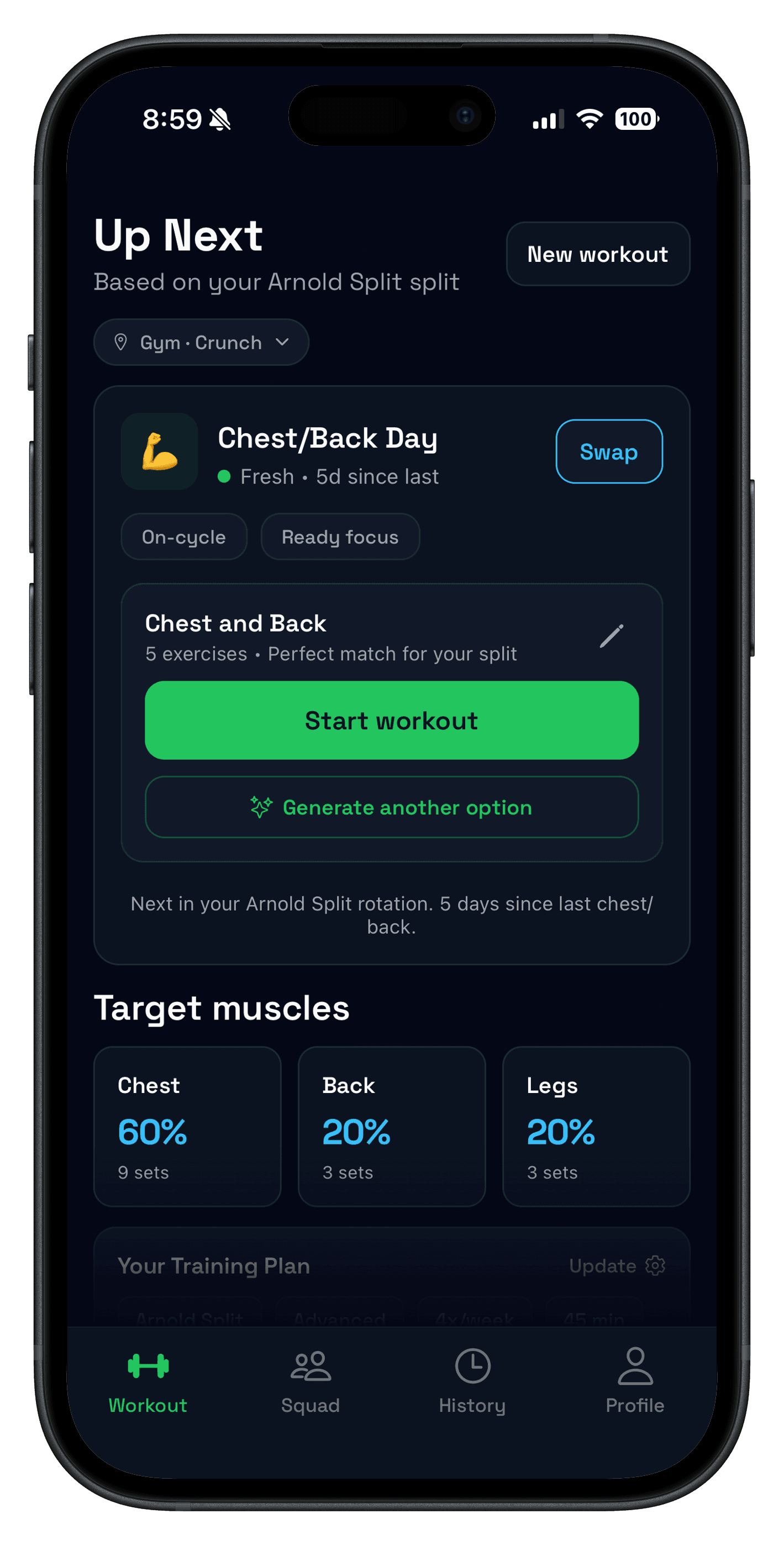
Try Push/Pull free for 7 days
Use your real routine for one week and see whether faster logging, previous values, and clearer progression make training easier to stick with.
7-day free trial. Fast set logging. Apple Watch support.
Send the link to your phone
Direct answer
What makes a good workout tracker app?
A good workout tracker app helps you log sets in seconds, repeat the same split without rebuilding it, and see your previous performance before the next work set. That is the difference between a generic fitness app and a gym log app that actually helps strength training progress.
- Log fastSet, rep, and weight entry stays quick during real sessions.
- Repeat routinesTemplates support PPL, upper/lower, and custom splits.
- See historyPrevious values stay easy to review before the next set.
Start with the workout logging app workflow, compare the strength training tracker, or use the workout split generator if you are still choosing a plan.
Workout tracker app vs generic fitness app
| Need | Generic fitness app | Push Pull |
|---|---|---|
| Between-set logging | Often built around classes, timers, or browsing. | Built for fast set logging with previous values visible. |
| Repeatable splits | May favor one-off plans over reusable templates. | Handles PPL, upper/lower, full body, and custom routines. |
| Progressive overload | History can be buried in summaries or dashboards. | Workout history and trend views make next-step decisions clearer. |
If you are comparing options, read Best Gym Tracker App first, then see how push/pull/legs templates and the AI workout planner fit into the workflow.
For busy lifters who prioritize training
Everything you need to train consistently, without the clutter.
Fast set logging
Previous values are ready when you need them.
Split-ready templates
PPL, upper/lower, full body, and more.
Progress clarity
Trends, PRs, and volume at a glance.
Optional squads
Accountability when you want it.
Workout logging
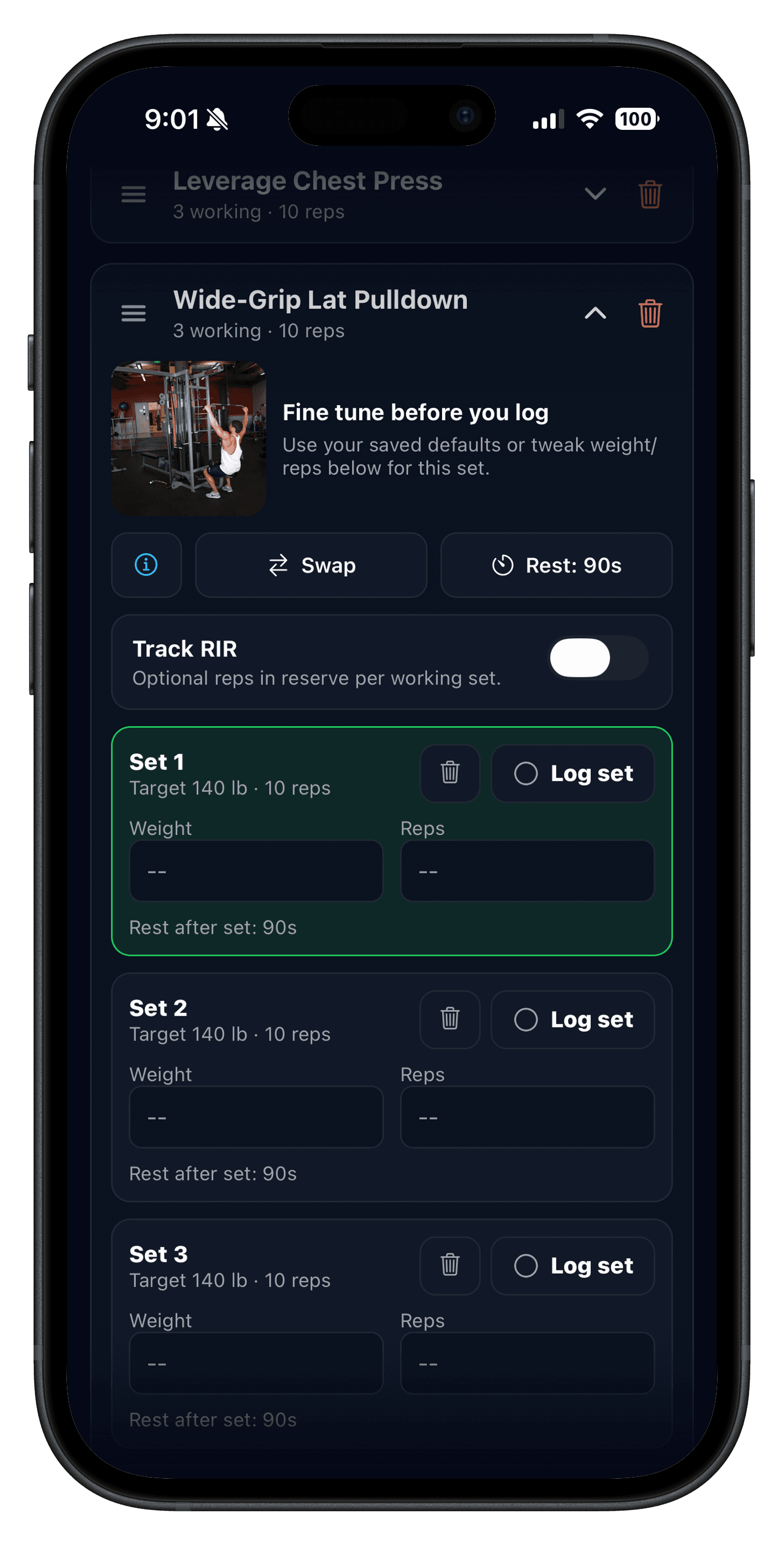
Workout logging app without the friction.
Stay in the flow with a clean log that keeps inputs light and progress visible.
- One-tap set logging.
- Previous values surfaced automatically.
- History organized by routine.
Explore the workout logging app flow for a closer look.
Templates
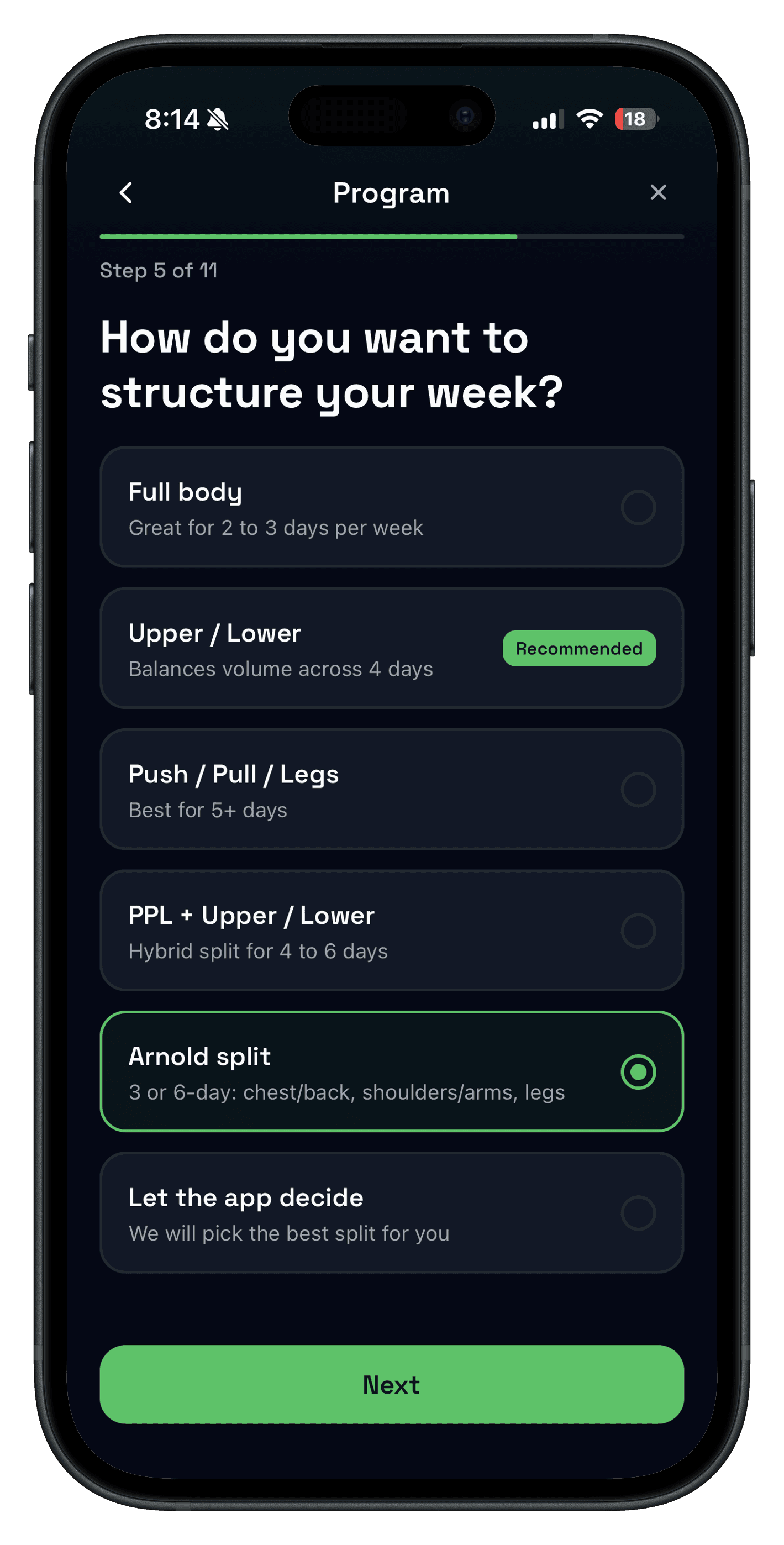
Choose a split that fits your week.
Your plan should match your schedule, not the other way around.
- PPL, upper/lower, full body, and more.
- Save templates once and reuse.
- Customize when life changes.
Use the workout split generator or explore the push/pull/legs workflow.
Progress
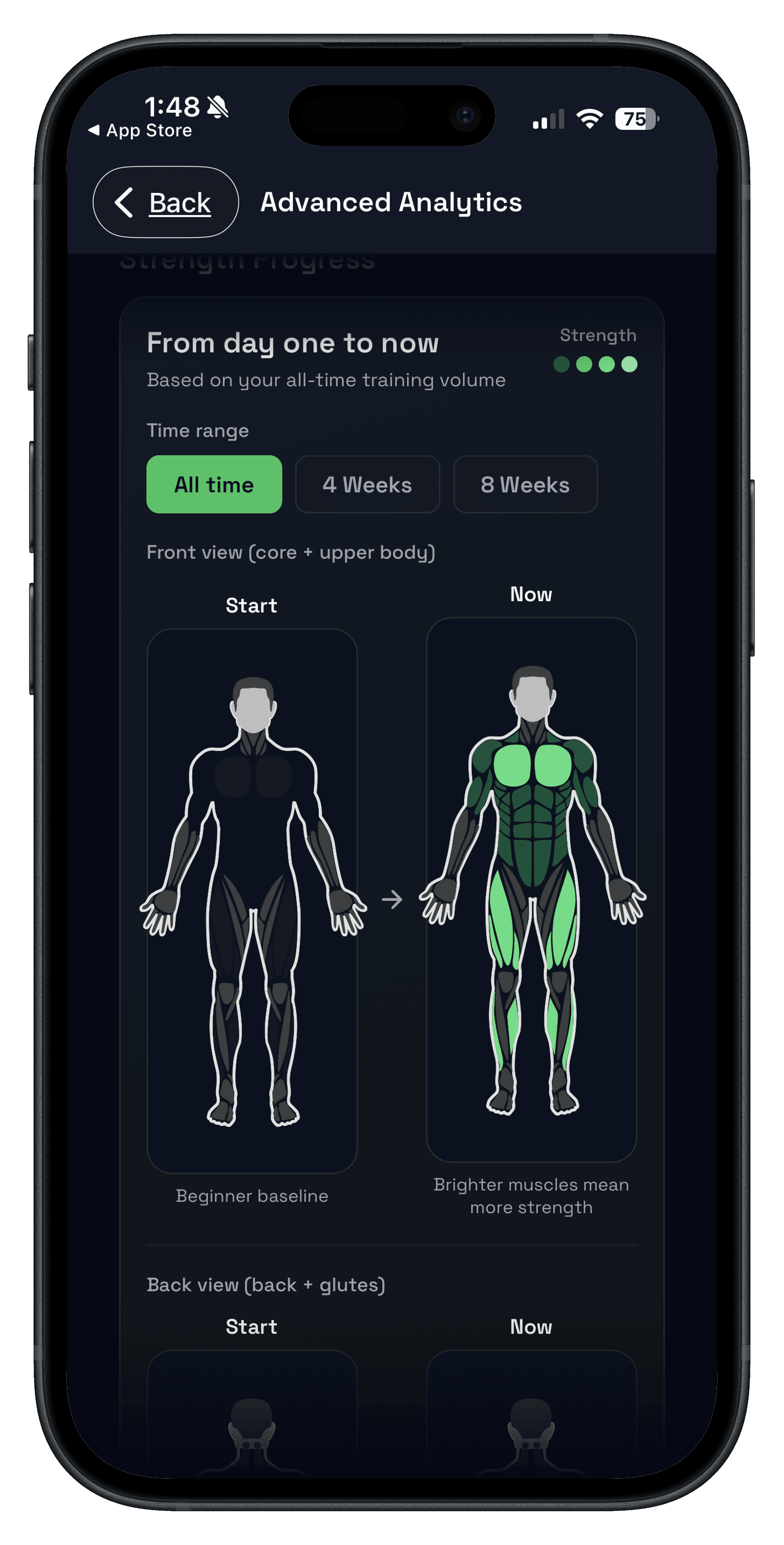
Strength training tracker with progress that's obvious at a glance.
Track the numbers that matter so you can keep nudging the next session forward.
- Clear PRs and volume signals.
- Trends across weeks and cycles.
- History you can actually use.
Learn more about the strength training tracker or read the progressive overload guide.
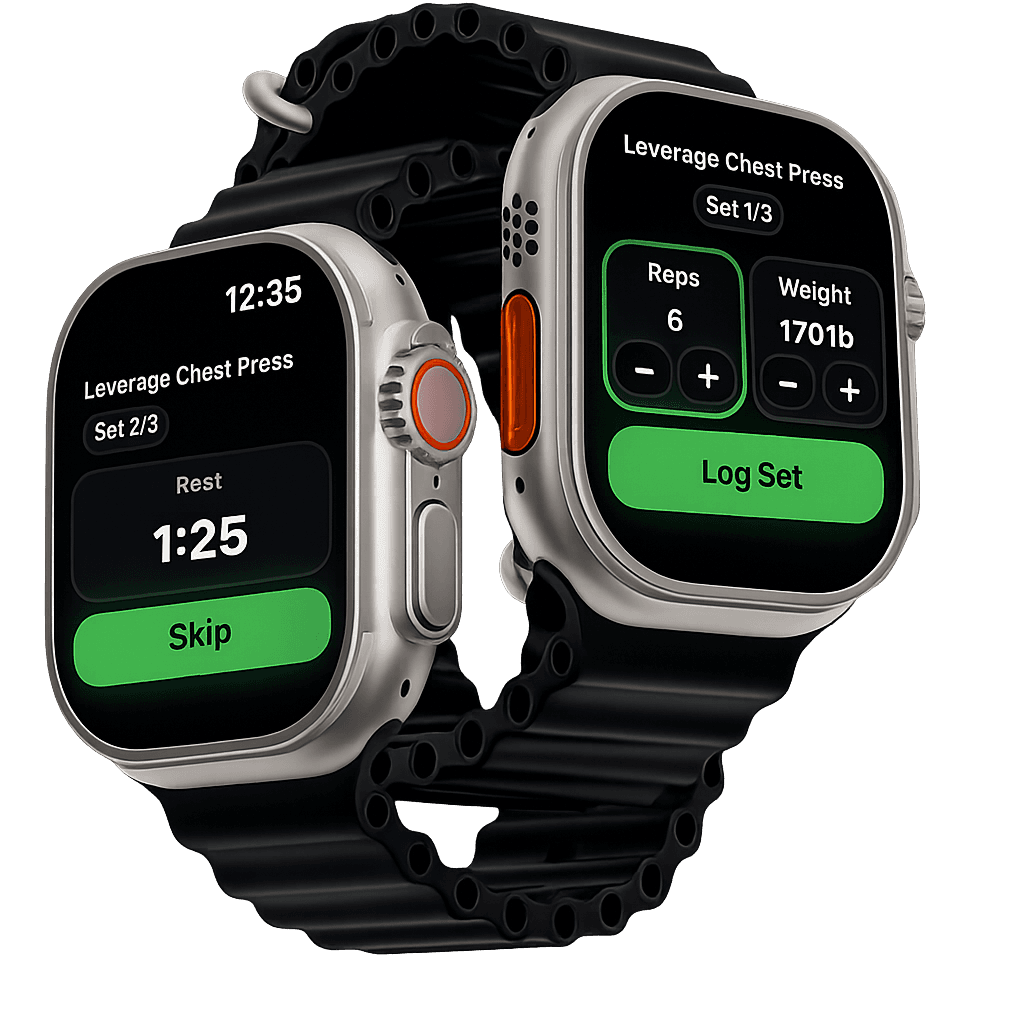
Apple Watch
Save time & train
on your schedule
Quick glanceable controls and timers, without pulling your phone out between sets.
If watch-first training matters, compare this with the Apple Watch strength training app guide.
One subscription. Two billing options.
Subscription required after a 7-day free trial. Choose monthly or annual billing—cancel anytime.
Monthly
Push Pull Subscription
Full access to all Pro features.
$6.99/month after a 7-day free trial.
Yearly · Best value
Push Pull Subscription
Full access to all Pro features.
$49.99/year after a 7-day free trial.
Included
Everything in Push Pull Pro
- Unlimited routine templates and planning
- AI workout generation tailored to your goals
- Recovery and fatigue indicators
- Progress photos and trends
- Muscle group balance and analytics
- Custom exercises and equipment
FAQ
What is the best workout tracker app for strength training?
The best workout tracker app for strength training is the one that keeps logging fast while making previous performance and next-step progression obvious. Push Pull is built around fast set logging, repeatable templates, and clear workout history.
Is Push Pull a gym log app or a workout planner app?
Push Pull is both. It works first as a gym log app and strength training tracker, then adds workout templates, split guidance, and optional AI planning when you want more structure.
Is Push Pull subscription-only?
Push Pull includes a 7-day free trial, then requires a subscription. Existing legacy users keep access based on their current plan.
Where can I find the latest Push Pull updates?
Visit the Push Pull Latest page on this site for the newest feature guides and training resources.
Is Push/Pull the same as pushpull or push-pull?
Yes. People search for the app in different ways (push pull, pushpull, push-pull, push/pull). The official name is Push/Pull.
What’s included in the subscription?
The subscription includes unlimited routine templates, AI workout generation, recovery insights, custom exercises, progress photos, and deeper analytics.
Does it support push/pull/legs and other splits?
Yes. Templates cover push/pull/legs, upper/lower, full body, PPL + upper/lower, arnold, and custom routines so you can match your split.
Is Push Pull only for strength training?
It is built for strength and hypertrophy, but flexible enough for gym and home workouts when you want a clean log.
Do I need an account?
Yes. You can sign in with Google, Apple, or your email. An account keeps workouts synced and backed up.
How does the AI workout planner work?
The AI suggests a workout based on your goals, equipment, and recent sessions. You can edit everything before you start.
Ready to log your next workout?
Download Push Pull and keep your training consistent with fast logging and clear progress.