
Is Hevy Free? 4-Routine Limit, Pro Cost, and Alternative
A source-checked guide to whether Hevy is free, the 4-routine limit, 7 custom exercises, 3 months of history, Pro cost, and alternatives.
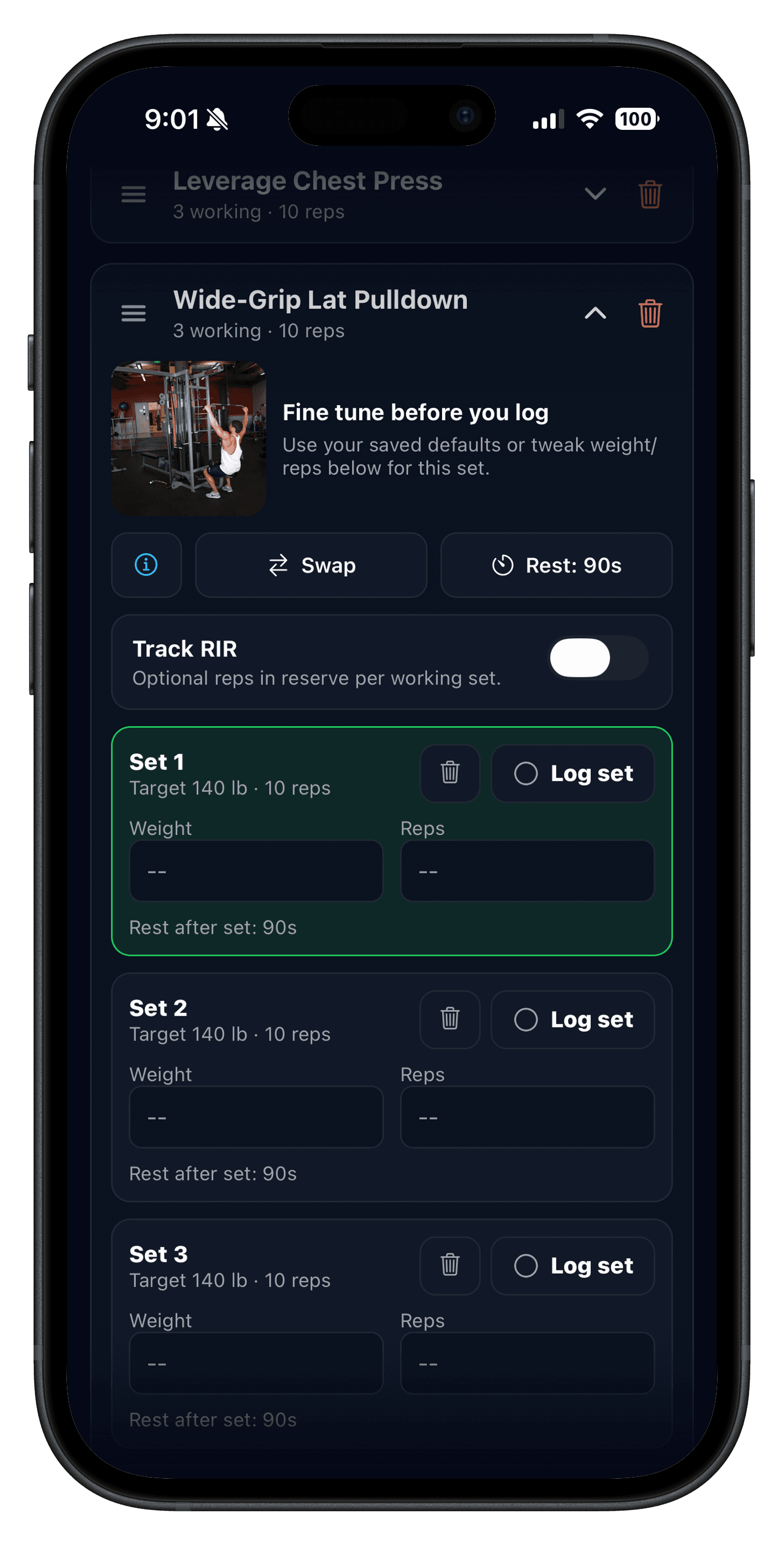
Quick answer: Hevy is free to download, but the free version is limited. If you are searching for Hevy free version limitations, Hevy app cost, or a Hevy alternative, Hevy's current Pro help article is the clearest official limit table and says the free version is limited to 4 routines, 7 custom exercises, and 3 months of data history. That is the main limit most lifters hit before they start comparing Push/Pull vs Hevy.
If your real question is Hevy free vs Pro, the current U.S. App Store listing includes Hevy Pro options at $2.99/month, $23.99/year, or $74.99 lifetime, plus another $3.99/month SKU. The upgrade mainly buys you unlimited routines, unlimited custom exercises, all-time history, Trainer, and the warm-up calculator, but your own checkout screen is the final price to trust.
Updated August 15, 2026: re-checks Hevy-owned pages, help docs, and the U.S. iOS listing for current free-tier limits, Pro pricing, and Apple Watch support.
One nuance matters: Hevy's current U.S. App Store listing markets routine creation broadly, but its Pro help article is the clearest official source for the actual free-tier cap. If the wording looks inconsistent, trust the help-center limit table or the in-app plan screen before you subscribe.
If you already use Hevy, do not switch based on opinions. Run a one-week side-by-side test with the same routine and keep whichever app creates less friction in real sessions. If your shortlist is specifically Hevy's social tracker versus Caliber's coaching-style approach, use this Hevy vs Caliber comparison before deciding whether a separate alternative is even necessary. If you are deciding among the three common lifting trackers instead, use this Hevy vs Strong vs Fitbod comparison to compare logging, free access, and app-led workout planning side by side.
- 4 routines: enough for a simple split, tight for rotating blocks.
- 7 custom exercises: workable at first, but easy to outgrow if you log custom equipment or exercise swaps.
- 3 months of history: enough for a short test, less useful for longer progression reviews.
- Trainer is PRO only: the adaptive programming feature is not part of the free tier.
Is Hevy free in 2026?
Yes. Hevy has a useful free version, and its App Store listing still positions the app as free to start. The important detail is that Hevy free is not unlimited: the clearest current Hevy help article says free users get 4 routines, 7 custom exercises, and 3 months of data history.
Stay on Hevy free if 4 routines, 7 custom exercises, and 3 months of history cover your training. Upgrade to Hevy Pro if you already like Hevy and need unlimited routines, unlimited custom exercises, all-time history, Trainer, or the warm-up calculator. Switch apps if the bigger problem is progression clarity, not just the paywall.
How much does the Hevy app cost?
The Hevy app is free to download, and the useful question is what you can keep doing before Pro matters. As of the August 15, 2026 source check, Hevy's U.S. App Store listing includes Hevy Pro at $2.99/month, $23.99/year, and $74.99 lifetime, plus another $3.99/month SKU. Exact offers can still vary by platform, region, promotion, or your own checkout screen.
Treat Hevy as free to start with capped routines, custom exercises, and history. Treat Hevy Pro as the paid upgrade when you want unlimited routines, unlimited custom exercises, all-time history, Trainer, or the warm-up calculator.
Where can you verify Hevy free version limitations officially?
If you want the official answer first, start with Hevy's Pro subscription help article for the current free-versus-Pro limit table. Then use the App Store listing for the current U.S. pricing snapshot, Apple Watch messaging, and broader product copy.
- Hevy homepage: hevyapp.com
- Hevy Trainer feature page: workout-plan-generator
- Hevy Pro subscription limits and plan options: Hevy Pro subscription help article
- Hevy previous-workout value behavior: Previous Workout Values vs Routine Values
- Hevy iOS listing (watch details + current U.S. pricing snapshot): App Store
Hevy free version limitations in 2026: 4 routines, 7 custom exercises, and 3 months
Based on Hevy's current Pro help article, the free version includes 4 routines, 7 custom exercises, and 3 months of data history. Hevy Pro removes those limits and adds tools like Trainer and the warm-up calculator.
| Feature | Hevy free | Hevy Pro |
|---|---|---|
| Routine storage | Limit of 4 | Unlimited |
| Custom exercises | Limit of 7 | Unlimited |
| Data history | 3 months | All time |
| Trainer and warm-up calculator | Not included | Included |
Those limits matter most if you rotate multiple splits, rely on custom movements, or want to compare progress across longer blocks instead of just the last few months. If you want the broader market view after this page, compare it with Best Gym Tracker App for Strength Training and Best Progressive Overload Apps.
One nuance worth noting: Hevy's U.S. App Store listing markets routine creation broadly, while Hevy's current Pro help article is the clearest official table for the 4-routine, 7-custom-exercise, and 3-month-history limits. If the free tier is the deciding factor, check the help article or in-app plan screen before subscribing.
If your real question is less about the paywall and more about progression quality, pair this with Progressive Overload App: What Smart Suggestions Should Actually Do and Workout Recovery App for Strength Training.
Hevy free vs paid (Hevy Pro): should you stay free, upgrade, or switch?
If you are comparing Hevy free vs paid or Hevy free vs Pro, the real decision is whether the 4-routine, 7-custom-exercise, and 3-month-history limits are still workable for your training. Stay free if one or two repeatable routines cover most weeks. Upgrade to Pro if you already like Hevy and mainly need more routine slots, longer history, Trainer, or the warm-up calculator. Switch if you also want a different progression workflow instead of just more unlocked features.
- Stay on Hevy free if your current split fits inside 4 routines and you do not rely on long-term history.
- Pay for Hevy Pro if you like Hevy and mainly need unlimited routines, unlimited custom exercises, all-time history, or Trainer.
- Switch apps if you want clearer next-session guidance and recovery context, not just a removed paywall.
| Situation | Hevy fit | Better fit |
|---|---|---|
| 1-2 repeatable routines | Usually still workable if you prefer a social, manual log. | Stay with Hevy if friction stays low. |
| 3-4 rotating routines or blocks | The 4-routine limit gets tight quickly. | Push/Pull or Hevy Pro fits better. |
| Custom lifts or equipment-specific swaps | The 7 custom-exercise limit can run out fast. | Push/Pull or Hevy Pro fits better. |
| Want clearer next-session progression | You rely on previous values, graphs, or Trainer inside Pro. | Push/Pull is the stronger fit. |
Does Hevy support progressive overload well enough?
Yes. Hevy app progressive overload is solid if you are comfortable using previous values, reviewing your history, and letting Trainer adjust working weights inside a generated program. Hevy's help docs also let you choose whether previous values pull from any workout or the same routine, which is useful if you repeat Upper A, Lower A, or PPL templates.
Push/Pull still has the cleaner edge for lifters who want overload suggestions, recovery context, and manual template control in one place. Hevy is stronger if the free tier and social/community angle are the main reason you are considering it.
That distinction matters if your search is really about Hevy progressive overload. If you want the criteria for better next-session guidance, read Progressive Overload App: What Smart Suggestions Should Actually Do. If you also want fatigue context tied to those suggestions, continue with Workout Recovery App for Strength Training.
- Choose Hevy if you want the strongest free tier before paying.
- Choose Push/Pull if you want clearer next-step progression and recovery context together.
- Run the same routine in both apps for one week before locking into a subscription.
Push/Pull vs Hevy at a glance
| Criterion | Push/Pull | Hevy | Why it matters | Current source |
|---|---|---|---|---|
| Fast set logging + previous values | Supported (live pages: fast logging + previous workout values). | Hevy documents previous values, rest timers, set types, and a setting to reference the same routine or any workout. | Faster logs improve consistency between sets. | Push/Pull pages + Hevy help center |
| Routine storage limits | Unlimited templates for subscribers (after trial), built for repeatable blocks. | Free plan: up to 4 routines. Pro: unlimited routine storage. | Routine limits directly affect long-term template use. | Hevy Pro subscription help article |
| Custom exercise limits | Custom exercises plus equipment-aware swap flow are available in-app. | Free plan: up to 7 custom exercises. Pro: unlimited custom exercises. | Custom movement support matters for real gyms and niche lifts. | Hevy Pro subscription help article |
| Data history window | History + fatigue trend views make it easier to spot overload slowdowns and plateau patterns. | Free data history is capped at 3 months; Pro unlocks all-time history. | Long-range history is key for detecting plateaus before they drag on for weeks. | Hevy Pro subscription help article |
| Planning and progression help | Optional AI workout generator plus smart exercise swap support, with editable outputs and manual template control. | Hevy Trainer is a Pro feature that builds adaptive programs with built-in progressive overload, automatic weight adjustments, and exercise replacements. | This decides whether you want generated programming or a cleaner manual workflow. | Push/Pull AI pages + Hevy Trainer feature page |
| Apple Watch and wearables workflow | Supported (Apple Watch feature + Live Activity pages). | Apple Watch + WearOS support, heart-rate tracking, routine sync, and auto-save on reconnect are part of Hevy's published feature pages and support documentation. | Watch flow can reduce phone handling during sessions. | Hevy homepage + App Store listing |
| Pricing and trial | $6.99/month or $49.99/year after a 7-day free trial (from push-pull.app, Apr 11, 2026). | Current U.S. App Store listing includes $2.99 monthly, $23.99 yearly, and $74.99 lifetime Pro options, plus another $3.99 monthly SKU. Hevy help docs confirm monthly, annual, and lifetime Pro options. | Pricing only matters if the daily training workflow fits. | Hevy Pro help article + App Store listing |
Product pages referenced above: workout logging, strength tracking, AI workout planner, template editing and swaps, progressive overload suggestions, recovery body map, and Apple Watch support. For plateau diagnosis workflow, see how to break a strength plateau.
Hevy data above is from Hevy-owned pages and help docs. Subscription pricing can vary by platform, region, or promotion, so check the in-app checkout screen before subscribing.
How to compare Push/Pull vs Hevy fairly in one week
- Use the same 3-4 day template in both apps.
- Log each session immediately after each set.
- Score each app daily on speed, clarity, and confidence in your next target.
- Review your week and keep the app with less friction.
This avoids feature-list bias and reflects what actually matters in training: consistency and clear progression decisions.
Pros and cons
Push/Pull pros
- Fast logging flow with previous values visible during training.
- Built-in progressive overload suggestions with history/fatigue trends that help reveal plateau patterns early.
- Optional AI-generated workouts and smart AI exercise swaps to cut planning friction.
- Apple Watch support and Live Activity options for in-session visibility.
- Templates and split support for repeatable strength/hypertrophy blocks.
Push/Pull cons
- Subscription is required after the 7-day trial.
- If you only want bare-minimum logs, some users may prefer a simpler surface area.
Hevy pros
- Generous free tier with workout logging, social features, and broad day-to-day usability.
- Trainer adds adaptive programs, automatic working-weight adjustments, and exercise swaps inside Pro.
- Previous-workout values can be set to the same routine or any workout.
- Apple Watch and WearOS support are explicitly documented by Hevy.
- Pro unlocks unlimited routines, unlimited custom exercises, and full graph history.
Hevy cons
- Free plan limits saved routines to 4.
- Free plan limits custom exercises to 7.
- Free data history is limited to the last 3 months.
- Trainer is a Pro feature, not part of the free tier.
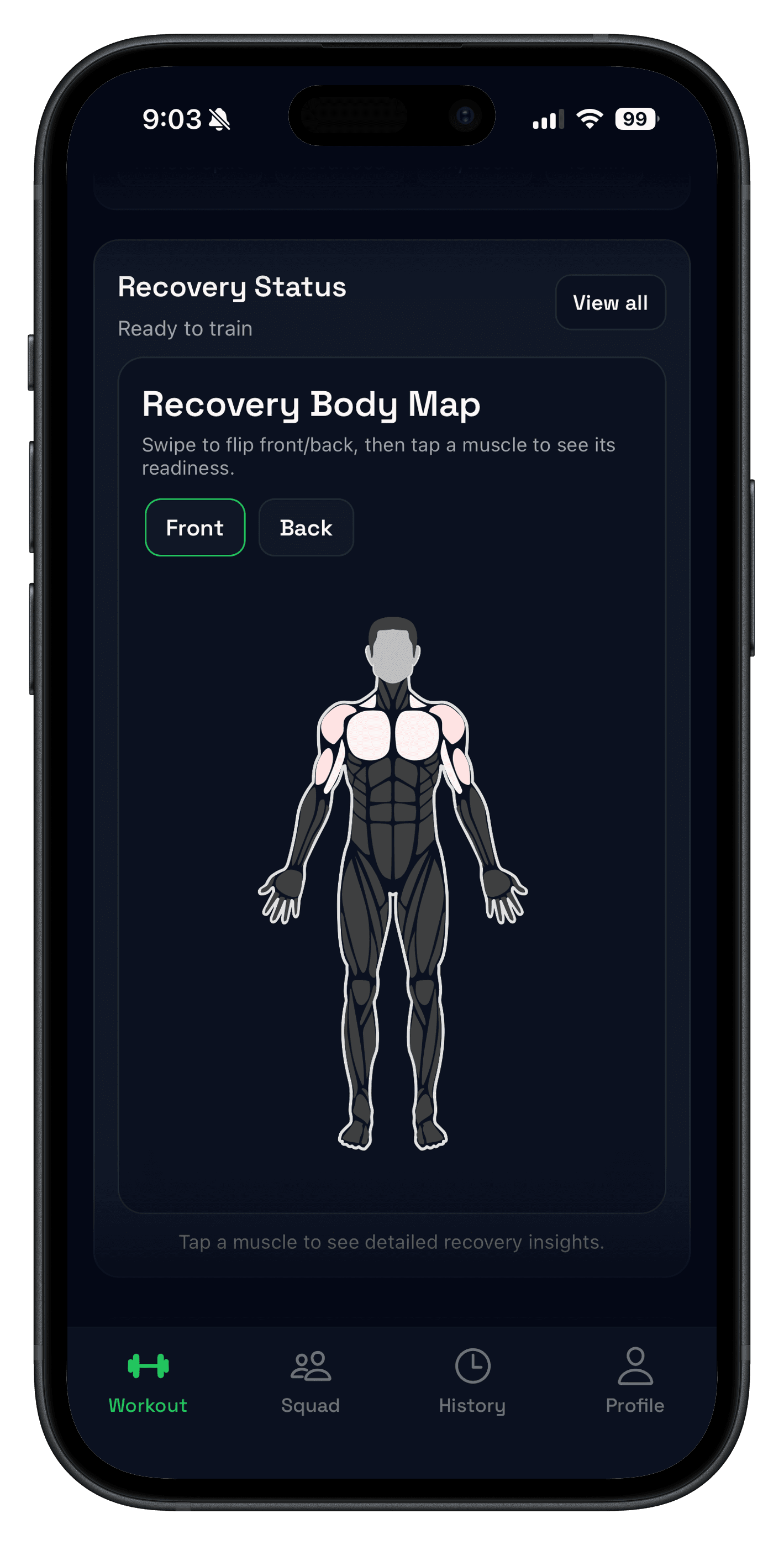
- Hevy public pages focus on performance analytics; they do not currently present a recovery heatmap/readiness score model like Push/Pull.
Best for... decision framework
- Best for progression + recovery in one place: Push/Pull.
- Best for progressive overload + early plateau visibility: Push/Pull.
- Best for free-tier value before checkout: Hevy.
- Best for generated-program guidance: Hevy Trainer if you want adaptive programming; Push/Pull if you want editable AI help plus manual templates.
- Best for Apple Watch-first lifting workflow: both apps support watch usage; run one week side-by-side to see which flow is faster for your sessions.
FAQ
Is Push/Pull a good Hevy alternative?
Is Hevy free in 2026?
What are Hevy free version limitations in 2026?
Where can I verify Hevy free version limitations officially?
How many routines does Hevy free version allow?
What is the difference between Hevy free and paid (Hevy Pro)?
Does Hevy support progressive overload well?
Is Hevy Trainer free?
Does Hevy support Apple Watch?
How much does the Hevy app cost?
How should I compare Push/Pull and Hevy fairly?
Related reading
- Best Gym Tracker App for Strength Training
- Progressive Overload App: What Smart Suggestions Should Actually Do
- Workout Recovery App for Strength Training
- Progressive Overload: Simple Rules to Get Stronger
- Best Progressive Overload Apps for Strength Training
- Workout Log: Track Sets, Reps, and Weight Without Overthinking
- Apple Watch Support
- Apple Watch Lifting App: Workout Timer and Set Logging
Run your own A/B test this week
The best tracker is the one you can use consistently. Download Push/Pull, run the same routine in both apps, and keep the one that makes your next progression decision obvious.