
Best Workout Apps: How to Choose One You Will Actually Use
A criteria-first guide to comparing workout apps by training goal, logging speed, templates, progression visibility, and accountability.
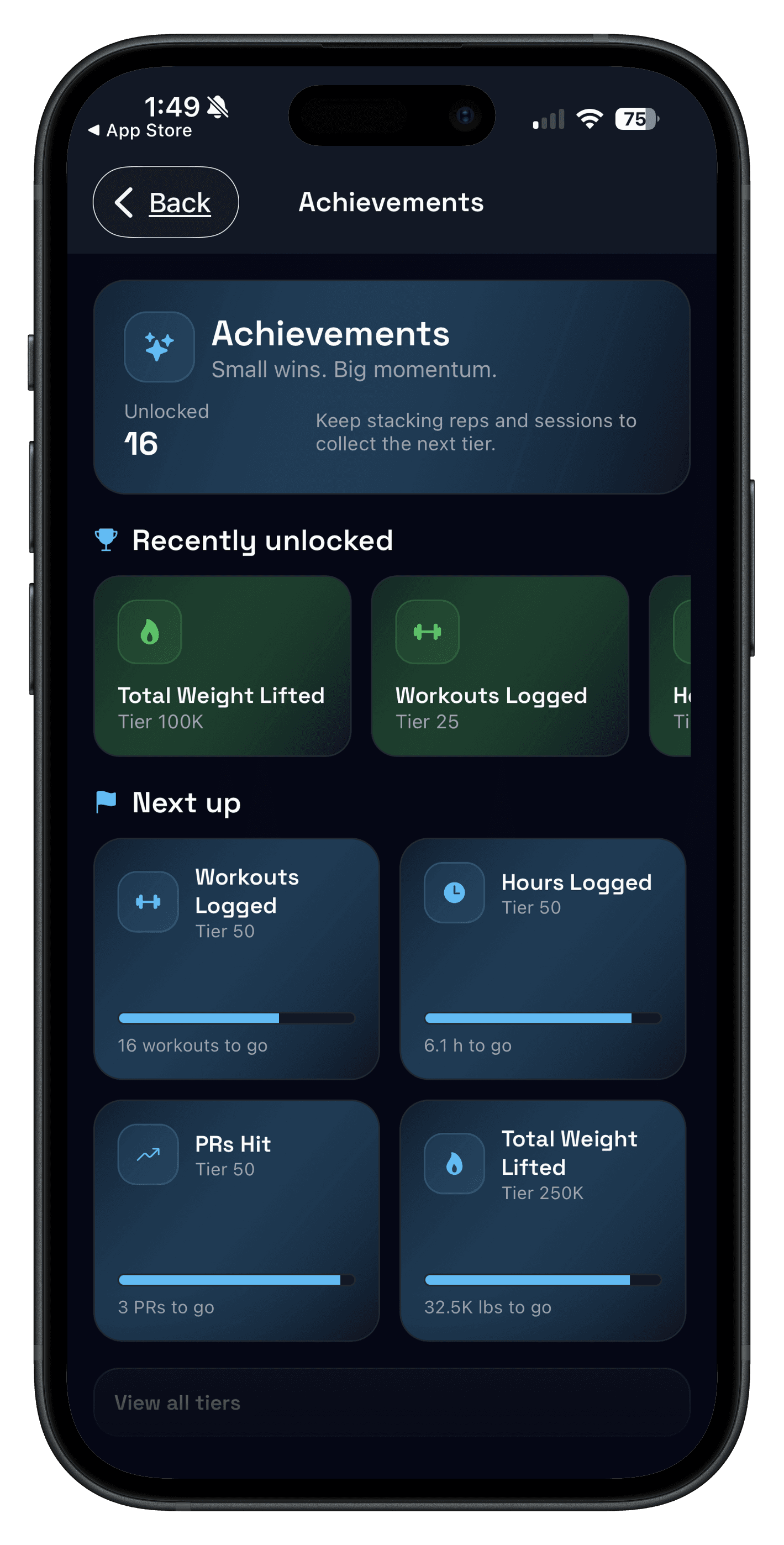
Quick answer: the best workout apps match the way you train. If you lift weights, prioritize a tracker with fast set logging, repeatable templates, and clear previous workout history. If you need exercise ideas first, start with a planner. If you want form cues or classes, use a coaching or video app.
The mistake is comparing every app like it solves the same problem. A runner, a home-workout beginner, and a lifter trying to add 5 lb to a squat need different workflows.
Updated Apr 10, 2026: adds quick picks by training goal and links to more specific guides for gym logs and strength training trackers.
If you already know you want a lifting-first tracker, compare this with Best Workout Tracker App and Best Gym Tracker App.
Best workout apps: quick picks by training goal
Start with the outcome you want, then choose the app type that removes the most friction.
| Goal | Best app type | What to look for | Push/Pull fit |
|---|---|---|---|
| Strength training | Workout tracker app | Fast logging, previous values, templates, and progress review. | Strong fit. |
| Hypertrophy or PPL | Gym log app with split templates | Exercise swaps, rep ranges, rest timer, and weekly volume visibility. | Strong fit. |
| Starting without a plan | Workout planner app | Simple plan creation, editable workouts, and progression once you start. | Good fit with optional AI planning. |
| Classes or form coaching | Coaching or video app | Instruction quality, movement demos, and programs you can follow. | Not the main use case. |
| Accountability | Social workout app | Small groups, private sharing controls, and consistent check-ins. | Good fit with squads. |
The 3 types of workout apps and which one you need
Most workout apps fall into three categories. Knowing the category prevents you from downloading five apps that all solve different problems.
- Workout tracker apps: built for logging sets, reps, weight, rest, and history. Best for strength training consistency.
- Workout plan apps: built for programs, calendars, and guided routines. Useful if you want direction more than tracking.
- Coach/video apps: built for follow-along workouts and classes. Great for home workouts, less ideal for progressive overload tracking.
If you lift weights and want measurable progress, a workout tracking app usually wins. You can keep the plan simple and let your log drive your next session. For a narrower product workflow, use the Workout Logging and Strength Training Tracker pages.
What to look for in the best workout apps
Use this checklist before you subscribe, import templates, or rebuild your program inside a new app.
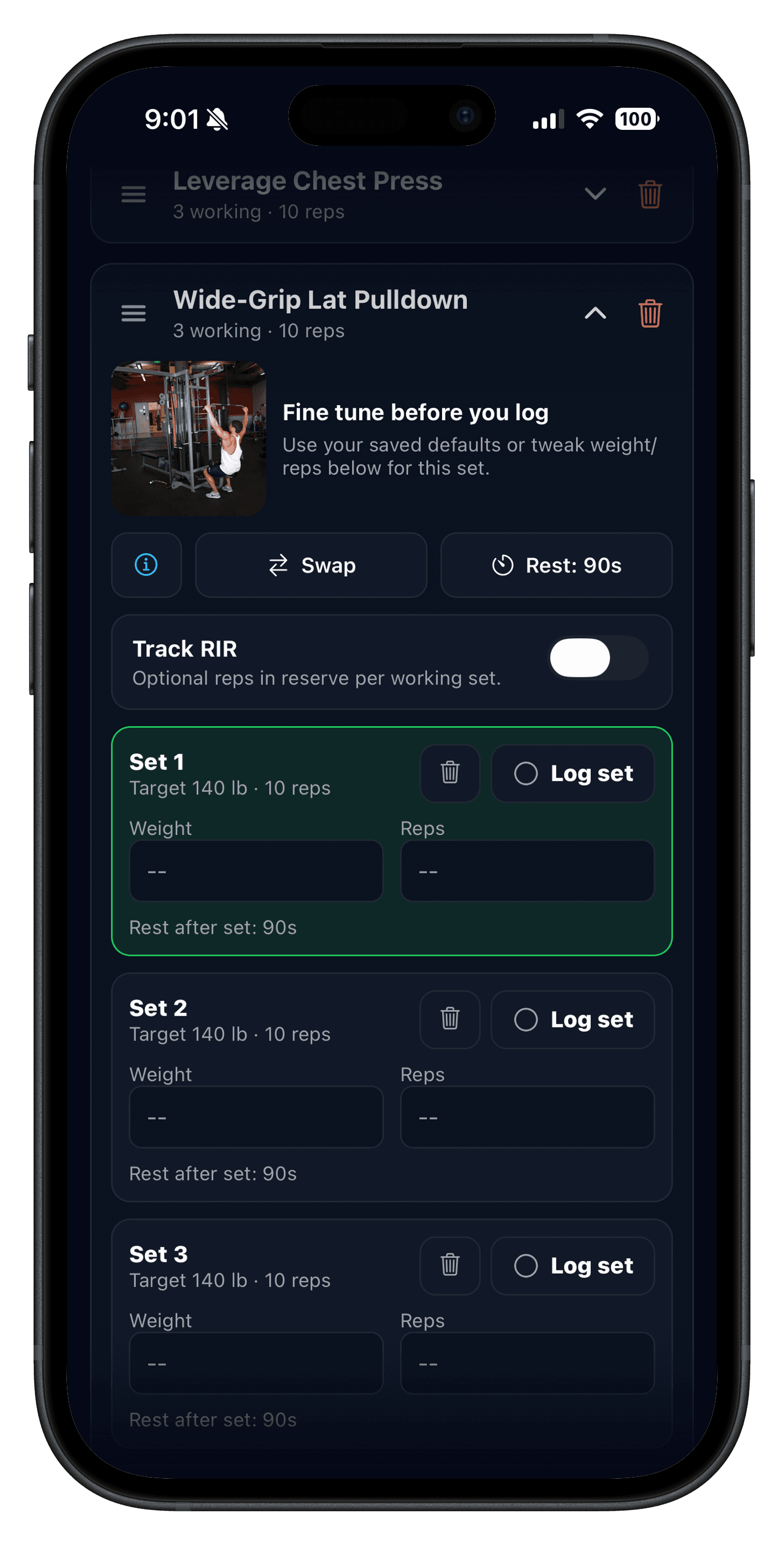
- Fast set logging: add sets, reps, and weight in a few taps.
- Templates: save a workout routine and reuse it without rebuilding every session.
- Rest timer: makes pacing consistent and keeps sessions moving.
- Progressive overload support: history is obvious so you can add a small amount next time.
- Readable history: you can quickly find what you did last week on the same lift.
- Focused analytics: trends, volume, and consistency without burying the next decision.
- Accountability controls: sharing should help consistency without forcing public posting.
If you want a deeper setup on what to track inside a log, start with Workout Log: Track Sets, Reps, and Weight Without Overthinking.
Best workout app for strength training: the minimum that works
If your goal is strength (or you lift to look better), the best workout app is usually the simplest one that makes progression obvious. You do not need complicated dashboards to get stronger.
- One template per training day
- Rep ranges (example: 6 to 10) instead of fixed reps
- Weights and reps saved automatically in history
- Rest timer so your effort is comparable session to session
- A notes field for rare, useful context (injury tweaks, equipment changes)
This is why many people prefer a workout tracker app over a workout plan app. You can keep the plan steady and let the log guide small improvements. If you need the planning layer first, read the Workout Planner App guide.
Workout app features to be careful with
Some features are useful for the right person but harmful when they distract from showing up and progressing.
- Endless feeds that turn the workout into scrolling.
- Metrics that do not change what you do next session.
- Program-hopping prompts that reward novelty over repetition.
- Required social sharing when you want a private training log.
- AI plans you cannot edit after the app creates them.
A 2-workout test before you choose
A feature list is less useful than two normal sessions. Test the app in the gym before you rebuild your full routine.
- Create one real template. Use your actual full body, upper/lower, PPL, or custom workout.
- Log every working set live. Do not backfill later; friction only shows up during the session.
- Find the last matching lift. If last-session numbers are hard to find, progression will stay fuzzy.
- Edit one exercise. Swap equipment or adjust sets and see whether the template stays clean.
- Review the next target. After two workouts, you should know whether to add reps, add load, or hold steady.
If you want a ready-made structure for templates, read Workout Template: Build a Simple Strength Plan You Can Repeat.
How to use your workout app week to week
A workout app becomes useful when it changes your next decision. Review it once per week and keep the loop small.
- Pick one lift per template and ask: did it move forward this week?
- If you missed sessions, simplify: fewer exercises, fewer days, same templates.
- If you hit all reps easily, progress one variable next week (weight or reps, not both).
If progression feels confusing, this breakdown keeps it simple: Progressive Overload Explained.
Common mistakes when choosing workout apps
Choosing a perfect-program app instead of a consistent system
If the app pushes you into a new plan every week, it is harder to see progress. Templates and history beat novelty.
Tracking everything
Most people only need sets, reps, weight, and rest. Extra metrics are only helpful if they change decisions next week.
Ignoring accountability
If motivation is the issue, a social workout app with small groups can help. Just make sure sharing is optional and useful instead of another source of pressure.
FAQ
What are the best workout apps for strength training?
Do I need a workout plan app or a workout tracker app?
What should a workout app track?
How long should I test workout apps before choosing one?
Are free workout apps enough?
Is Push/Pull a workout tracker app or a workout planner app?
A workout app built for the lifting part
Push/Pull is a clean workout tracker app for iPhone with fast set logging, repeatable templates, rest timers, squads, and clear history built for progressive overload.