
Workout Template: A 3-Day Full-Body Strength Plan That Sticks
A complete three-day full-body workout template with exercise swaps, progression rules, and a four-day upper/lower option.
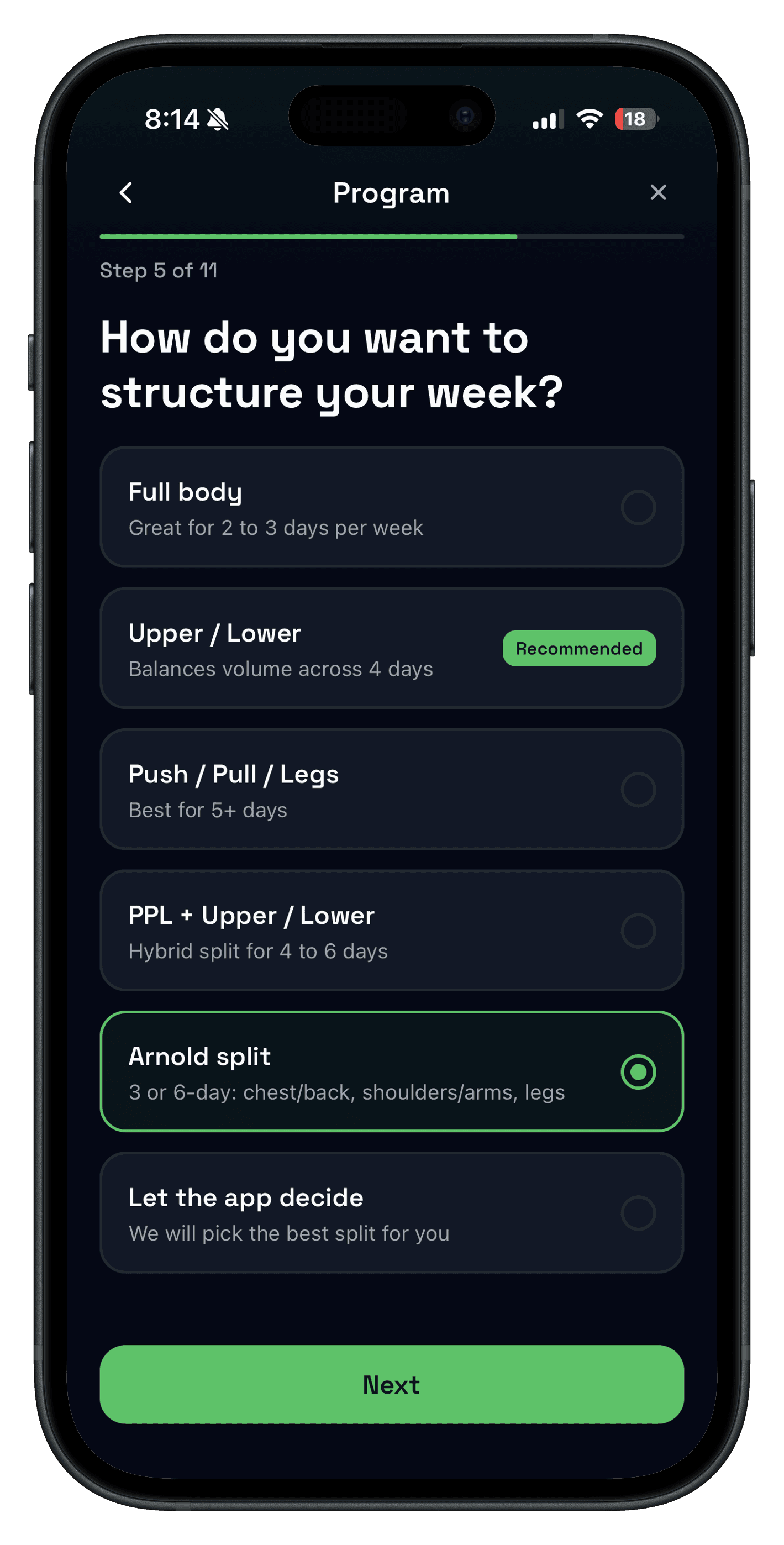
This workout template gives you a complete 3-day full-body workout routine: three non-consecutive sessions, four to six movements per day, and one progression rule you can run for 6 to 8 weeks. It is built for lifters who want a real plan to save and track—not another list of random exercises.
The goal is not a perfect program. The goal is a repeatable workout template that fits your schedule and makes progressive overload obvious.
If you want a workout log app that keeps templates and progression in one place, start with our workout log app guide.
What a workout template actually is
A workout template is a reusable workout plan that tells you what to train, when to train, and how to progress. It is not a rigid strength training program. Think of it as a structure you can repeat long enough to see results.
- It keeps your workout routine consistent across weeks.
- It makes a weekly workout plan easy to follow.
- It gives you a clear way to track progressive overload.
Step 1: Choose a weekly workout plan you can keep
The best gym workout plan is the one you can repeat. Most people do well with 2 to 4 days per week. Pick your days first, then build the template around them.
- 2 days: Full body workouts on non-consecutive days.
- 3 days: Full body or simple upper/lower rotation.
- 4 days: Classic upper/lower split with two upper and two lower sessions.
Step 2: Pick a split (full body, upper/lower, or push pull legs)
Your workout split should match your schedule and recovery. Any split works if you can repeat it long enough to track progress.
- Full body workout: Best for 2 to 3 days per week and beginner workout plans.
- Upper lower split: Great for 4 days per week when you want more volume.
- Push pull legs split: Useful for 5 to 6 days per week with shorter sessions.
Stick with one split for 4 to 6 weeks before you change it. Consistency beats novelty.
Step 3: Build the template around six movement patterns
A simple strength training plan is easier when you use movement patterns instead of chasing random exercises. Aim to cover these six each week:
- Squat or knee-dominant (goblet squat, back squat)
- Hinge (deadlift, Romanian deadlift, hip thrust)
- Push (bench press, incline press, push-ups)
- Pull (row, pull-up, lat pulldown)
- Single-leg (lunges, split squats, step-ups)
- Core or carry (planks, farmer carries)
3-day full-body workout routine: the complete template
Use this full body workout routine if you train 3 days per week. Keep weights moderate and focus on smooth progression.
| Day | Exercise | Sets × reps | Swap |
|---|---|---|---|
| A | Back squat | 3 × 5–8 | Goblet squat or leg press |
| A | Bench press | 3 × 6–10 | Dumbbell press or push-up |
| A | Chest-supported row | 3 × 8–12 | Cable or dumbbell row |
| A | Romanian deadlift | 2 × 8–10 | Hip thrust |
| A | Plank | 3 × 30–45 sec | Dead bug |
| B | Trap-bar deadlift | 3 × 4–6 | Conventional deadlift |
| B | Overhead press | 3 × 6–10 | Landmine press |
| B | Lat pulldown | 3 × 8–12 | Assisted pull-up |
| B | Split squat | 2 × 8–12/side | Step-up |
| B | Cable curl + pressdown | 2 × 10–15 each | Any arm pair |
| C | Front squat | 3 × 6–10 | Hack squat or leg press |
| C | Incline dumbbell press | 3 × 8–12 | Machine chest press |
| C | Seated cable row | 3 × 8–12 | Chest-supported row |
| C | Leg curl | 2 × 10–15 | Sliding leg curl |
| C | Farmer carry | 3 × 30–45 sec | Suitcase carry |
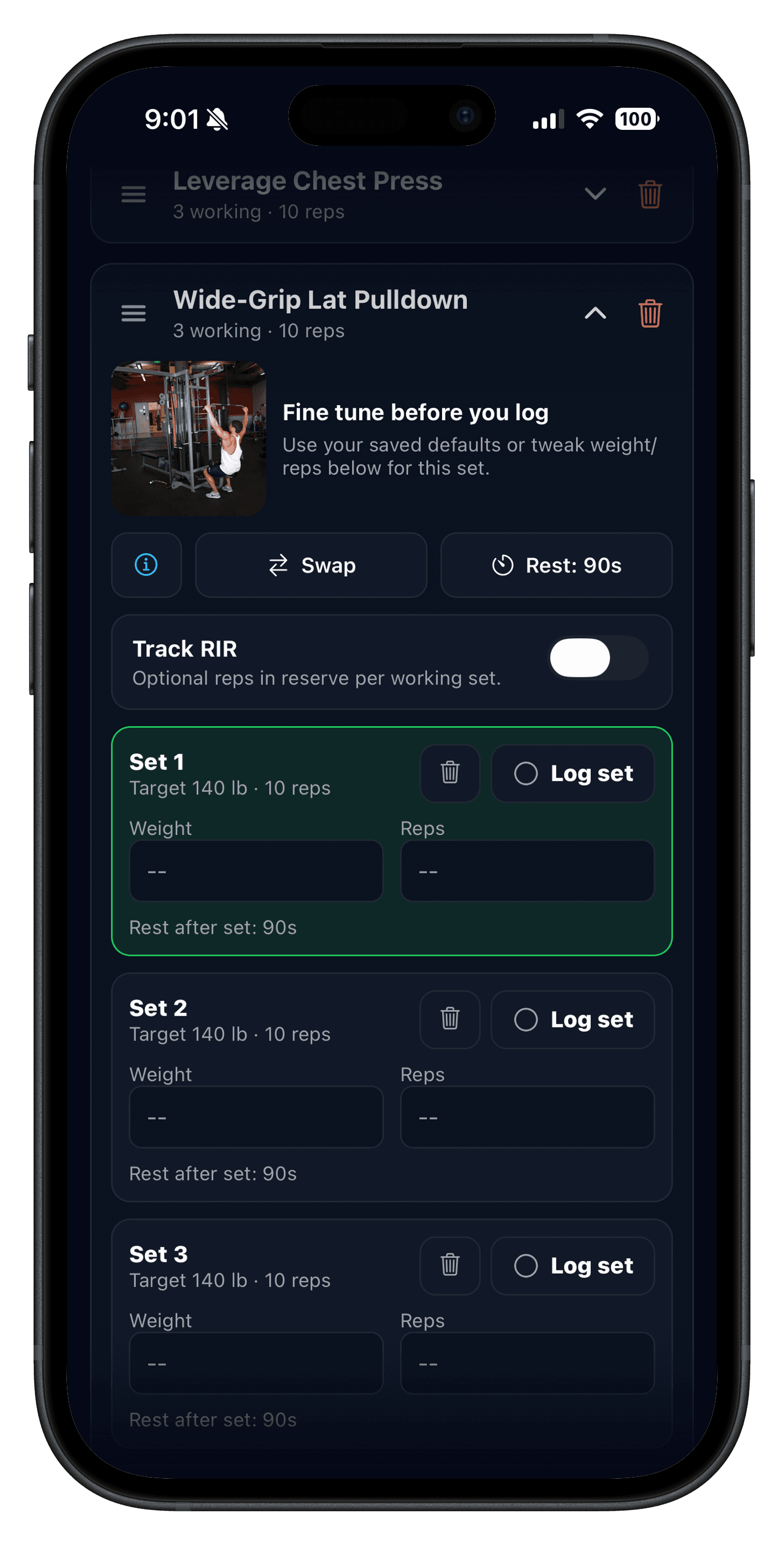
Create Full Body A, B, and C in Push/Pull. Add the rep ranges above, set 2–3 minute rests for compound lifts and 60–90 seconds for accessories, then schedule the sessions on non-consecutive days such as Monday, Wednesday, and Friday.
How to progress the 3-day full-body plan
- Begin each work set with roughly 2–3 reps in reserve while you learn the movements.
- Add reps inside the listed range before adding weight.
- When every set reaches the top of the range, add the smallest practical load next time.
- If performance drops for two repeats, keep the load steady or reduce one set before changing the routine.
Push/Pull keeps previous workout values beside the next set and can surface progressive overload suggestions after you have enough history.
Example: 4-day upper lower split template
If you want more volume, use a classic upper lower split. Keep it simple and repeat for a full training block.
- Upper 1: Bench, Row, Incline, Pull-Up, Arms
- Lower 1: Squat, Hinge, Lunge, Calves, Core
- Upper 2: Overhead Press, Row, Chest Fly, Lat Pulldown, Arms
- Lower 2: Deadlift, Split Squat, Leg Curl, Calves, Core
How to apply progressive overload in your template
Increase one variable per lift every 1 to 2 weeks: reps, weight, or sets.
This is the simplest way to make a strength training plan work. You do not need to max out every session. You need small wins you can repeat.
Progressive overload explained
Track it fast with a workout tracker app
A workout template only works if you can log it fast. A workout tracker app keeps your plan in one place, remembers last week, and shows you where to progress. That is why Push/Pull is built around templates and quick logging.
Clear workout tracking•Explore all features
When to update your workout routine
Change your template only when the signal is real:
- You have stalled for 2 to 3 weeks on multiple lifts.
- Your schedule changes and your split no longer fits.
- You are bored and motivation is slipping.
If progress is steady, keep the plan. The best workout routine is the one you finish.
FAQ
Do I need a workout plan generator?
Not necessarily. A simple workout template you can repeat beats a new plan every week.
How long should I run a workout template?
Run it for 4 to 6 weeks so progressive overload has time to work.
How many exercises should I include?
Most lifters need 4 to 6 exercises per session.
Is a full body workout good for beginners?
Yes. Full body routines are simple, repeatable, and easy to recover from.
What is a good 3-day full body workout routine?
Train a squat or knee-dominant move, a hinge, a push, and a pull across three non-consecutive days. Keep four to six exercises per session, stop most sets with one to three reps in reserve, and progress reps before adding weight.
Related reading
- Workout Apps: How to Choose the Best Workout App for Your Training
- Workout Log: Track Sets, Reps, and Weight Without Overthinking
- Progressive Overload Explained: How to Get Stronger Without Overthinking Your Training
- Workout Split Generator for Your Weekly Schedule
Ready to build your template?
Push/Pull is available now on the App Store. It is a workout tracker app with templates, fast logging, and clear progress history so your plan stays consistent.