
Boostcamp Alternative: Push/Pull vs Boostcamp for Programs and Fast Logging
A source-checked comparison of Push/Pull vs Boostcamp covering program library depth, logging speed, pricing, Apple Watch support, and progression fit.
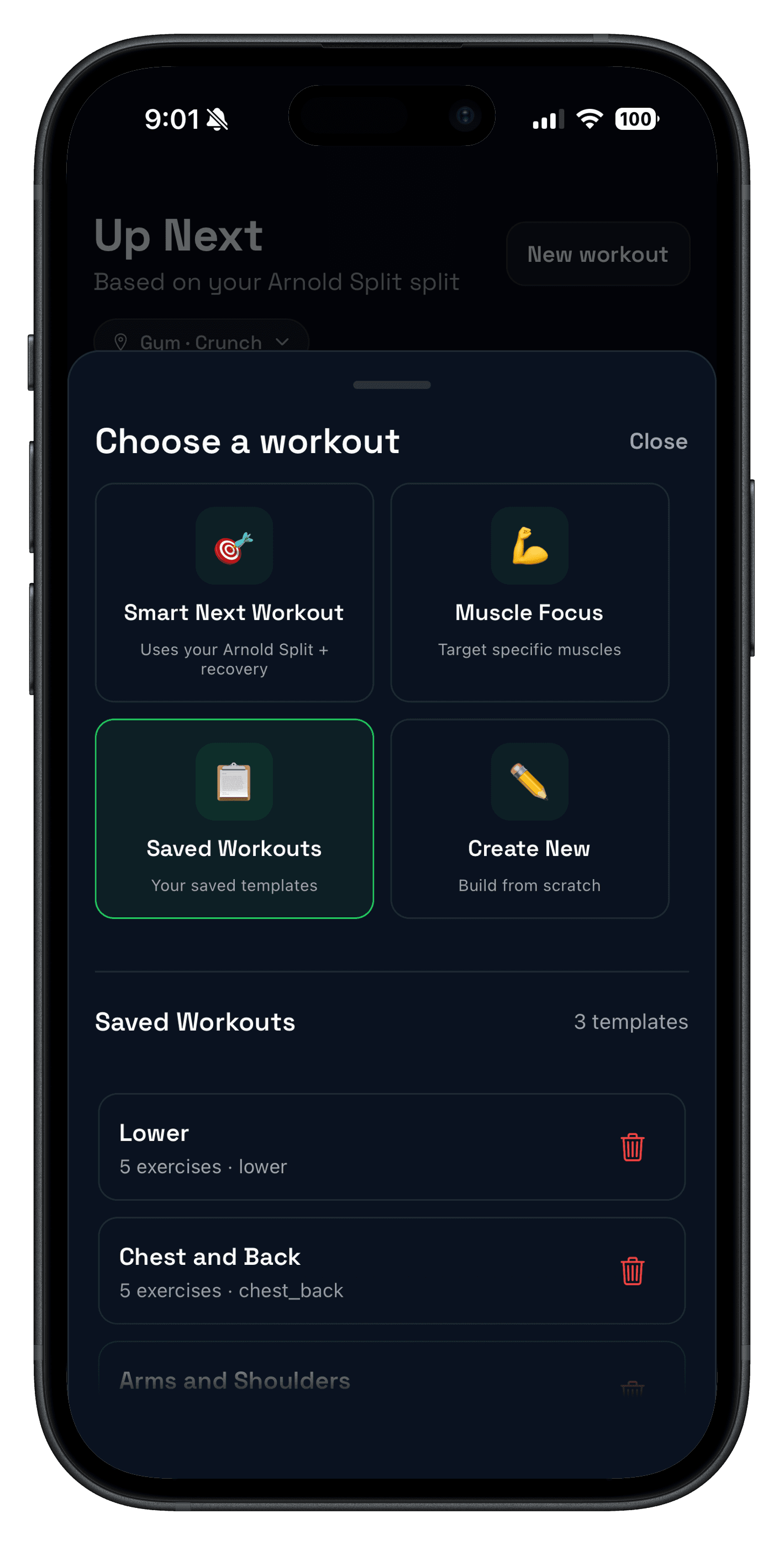
Quick answer: if you want a Boostcamp alternative, Push/Pull is the better fit when you already know your split and care most about fast logging, Apple Watch support, and clear next-session context. Boostcamp is stronger when the main thing you want is a deep built-in library of coach-led and community programs.
That distinction matters because these apps solve slightly different jobs. Boostcamp is a program-first app with a large library and built-in progression. Push/Pull is a logging-first tracker that keeps your own templates, history, and progression decisions easier to execute in real sessions.
Updated Apr 18, 2026:this comparison uses Boostcamp's current homepage, official Pro pricing page, and the current U.S. iOS App Store listing.
If you want the broader commercial shortlist first, compare this with Best Gym Tracker App for Strength Training. If you are specifically weighing built-in plans against a flexible tracker, also read How to Choose a Workout Planner App.
- Choose Push/Pull if you already know how you want to train and want a cleaner daily workflow for logging, previous values, and progression decisions.
- Choose Boostcamp if you want a large built-in library of programs from coaches and community creators before you think about custom tracking workflows.
- Run the same plan in both if you are unsure whether your friction is coming from programming or from the logging workflow itself.
Source snapshot (checked Apr 18, 2026)
- Boostcamp homepage: boostcamp.app
- Boostcamp Pro pricing and feature page: boostcamp.app/premium
- Boostcamp U.S. iOS listing: App Store
- Push/Pull pricing and trial details: push-pull.app pricing section
What makes a good Boostcamp alternative?
- Program fit: the app should either give you a plan you trust or stay out of the way when you already have one.
- Logging speed: sets, reps, and weight should stay fast between sets.
- Progression clarity: it should be obvious what to do next session.
- Device fit: phone-only, iPad, or Apple Watch support should match how you actually train.
- Pricing fit: compare the real workflow first, then the recurring cost.
| If you want... | Better fit | Why |
|---|---|---|
| A big built-in program library | Boostcamp | Its official pages lead with expert and community programs as the product core. |
| Fast logging for your own recurring split | Push/Pull | It is built around templates, quick set entry, and previous-workout context. |
| Apple Watch support | Push/Pull | Push/Pull publishes a dedicated watch workflow, while Boostcamp's current iOS listing is for iPhone and iPad. |
| Auto-progression inside a prebuilt program | Boostcamp | Boostcamp's homepage highlights built-in programs plus auto-progression. |
| Recovery context around progression | Push/Pull | Push/Pull connects progression history with recovery and readiness signals. |
What Boostcamp does really well
The clearest case for Boostcamp is program depth. Its official homepage currently promotes 200+ free programs from expert coaches, while the App Store description expands that positioning with a large community-program catalog and popular templates like PPL, PHUL, GZCLP, and 5/3/1-style options.
That means Boostcamp is easiest to recommend when the biggest problem is not logging speed but deciding what to run. If you want a program library first and a tracker second, that is a real advantage.
- Program library: expert and community programs built into the app.
- Auto-progression: Boostcamp says loads adjust automatically based on your performance.
- AI program builder: official pages now position AI as a way to build or customize programs.
- Gym tools: the Pro page highlights analytics, rest timer, plate calculator, warm-up sets, and template or exercise flexibility.
If that is the workflow you want, Boostcamp is a legitimate option. It is especially sensible for lifters who want a ready-made PPL or hypertrophy plan without starting from scratch. For that angle, compare this page with Push Pull Legs App and Best Hypertrophy Workout Tracker App.
Where Push/Pull fits better
Push/Pull fits better when you are not shopping for a huge library. If you already have a routine, or only need light planning help, the real job becomes logging cleanly, seeing previous values fast, and making the next progression decision without bouncing between screens.
That is where Push/Pull separates itself. The product is built around strength tracking, fast template control, and features like progressive overload suggestions and Apple Watch support instead of leading with a huge browse-first program catalog.

If you want a middle ground between full manual control and fully prebuilt plans, compare this page with the AI workout planner. That flow keeps the plan flexible while staying much closer to a logging-first product.
Pricing, trial, and device support
Pricing matters, but only after the workflow fits. At the current official snapshot, Boostcamp and Push/Pull are both subscription products after trial, but they package value differently.
| Criterion | Push/Pull | Boostcamp | Why it matters |
|---|---|---|---|
| Free start | 7-day free trial before paid subscription. | Free to start, with a 7-day Pro trial on the yearly plan. | This changes how much you can evaluate before paying. |
| Monthly price | $6.99/month after trial. | $14.99/month on the current Pro page. | Monthly pricing matters most if you are still testing app fit. |
| Yearly price | $49.99/year after trial. | $59.99/year on the current Pro page. | Annual pricing matters more once the workflow is proven. |
| Apple Watch visibility | Dedicated Apple Watch feature page and watch-first messaging. | Current U.S. App Store listing is for iPhone and iPad. | If you log from your wrist, this can decide the choice fast. |
| Best starting point | Lifters who already know their split and want faster execution. | Lifters who want to pick a proven program and follow it as written. | This is the clearest difference between the products. |
Boostcamp pricing and in-app purchase options can change by region, platform, or promotion, so treat the numbers above as a dated official snapshot rather than a universal checkout quote.
If your shortlist is still between two popular third-party apps, use our Hevy vs Boostcamp decision guide to compare a social-first tracker with a program-first platform before introducing Push/Pull as a third option.
Who each app is for
- You already have a workable split and mostly need cleaner execution.
- You want Apple Watch support and quick access to previous values.
- You care more about daily logging speed than browsing a huge library of programs.
- You want progression plus recovery context in one workflow.
- You want to start from an expert or community program instead of building your own.
- You like the idea of auto-progression inside a structured plan.
- You prefer a browse-first experience with many coaching styles in one app.
- Your main problem is program selection, not logging friction.
How to compare Push/Pull and Boostcamp fairly
- Pick one 4- to 6-day plan you would actually run for the next month.
- Set it up in both apps without changing the exercises or progression targets.
- Run two real sessions and note logging speed, previous-value visibility, and whether the plan still feels clear mid-workout.
- At the end of the week, decide whether you need more programming help or a faster tracking workflow.
If the main friction is choosing or understanding the plan, Boostcamp may win. If the main friction is executing, reviewing, and progressing your normal sessions, Push/Pull usually wins.