
Best Hypertrophy Workout Tracker App for PPL Lifters
A criteria-first guide to choosing a hypertrophy workout tracker app for PPL volume, progression, and recovery management.
Quick answer: the best hypertrophy workout tracker app for most lifters is the one that keeps volume, RIR, and progression visible without slowing down your session.
If you are searching for a ppl workout app or a better push pull legs app, use this criteria-first guide and 7-day test to compare options with less guesswork.
Updated Mar 5, 2026: adds a clearer comparison framework for PPL templates, workout logging, progression, and recovery.
What makes the best hypertrophy workout tracker app?
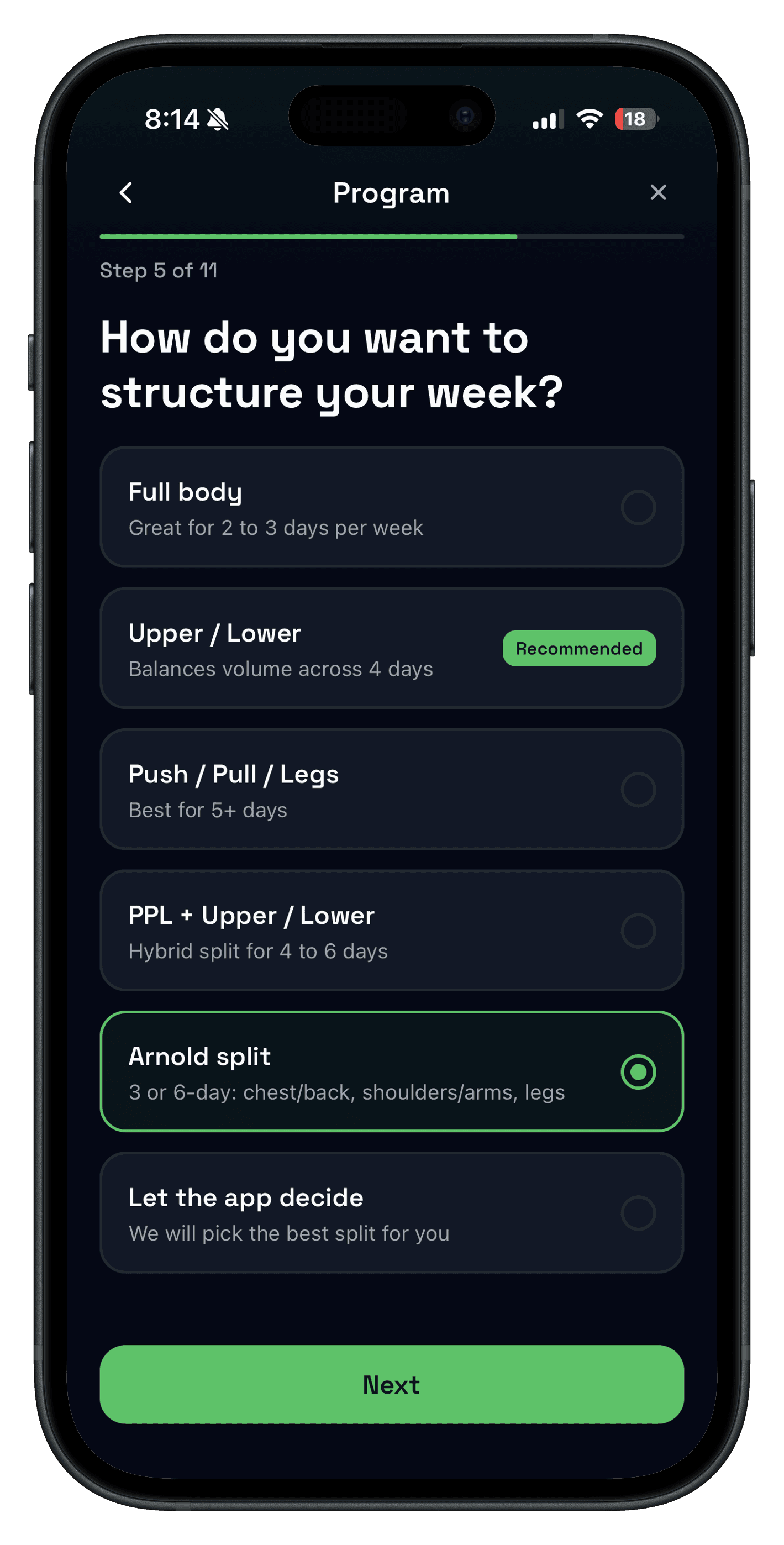
- Template flexibility: supports 3-day, 4-day, 5-day, and 6-day PPL variants without rebuilding every week.
- Volume clarity: shows enough history to see whether weekly sets are trending up, flat, or too aggressive.
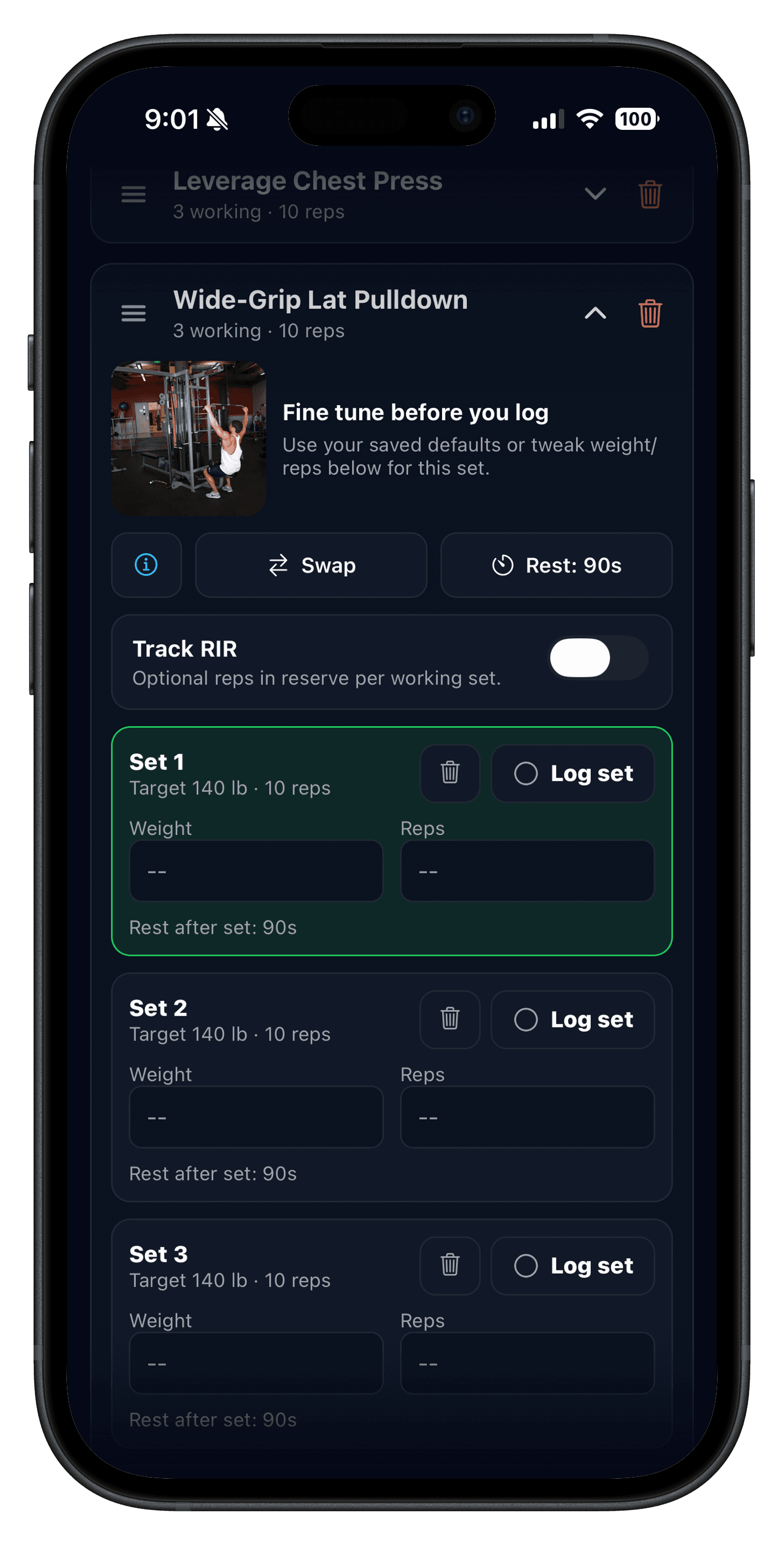
- Effort context: optional RIR/RPE tracking per set when you need tighter hypertrophy control.
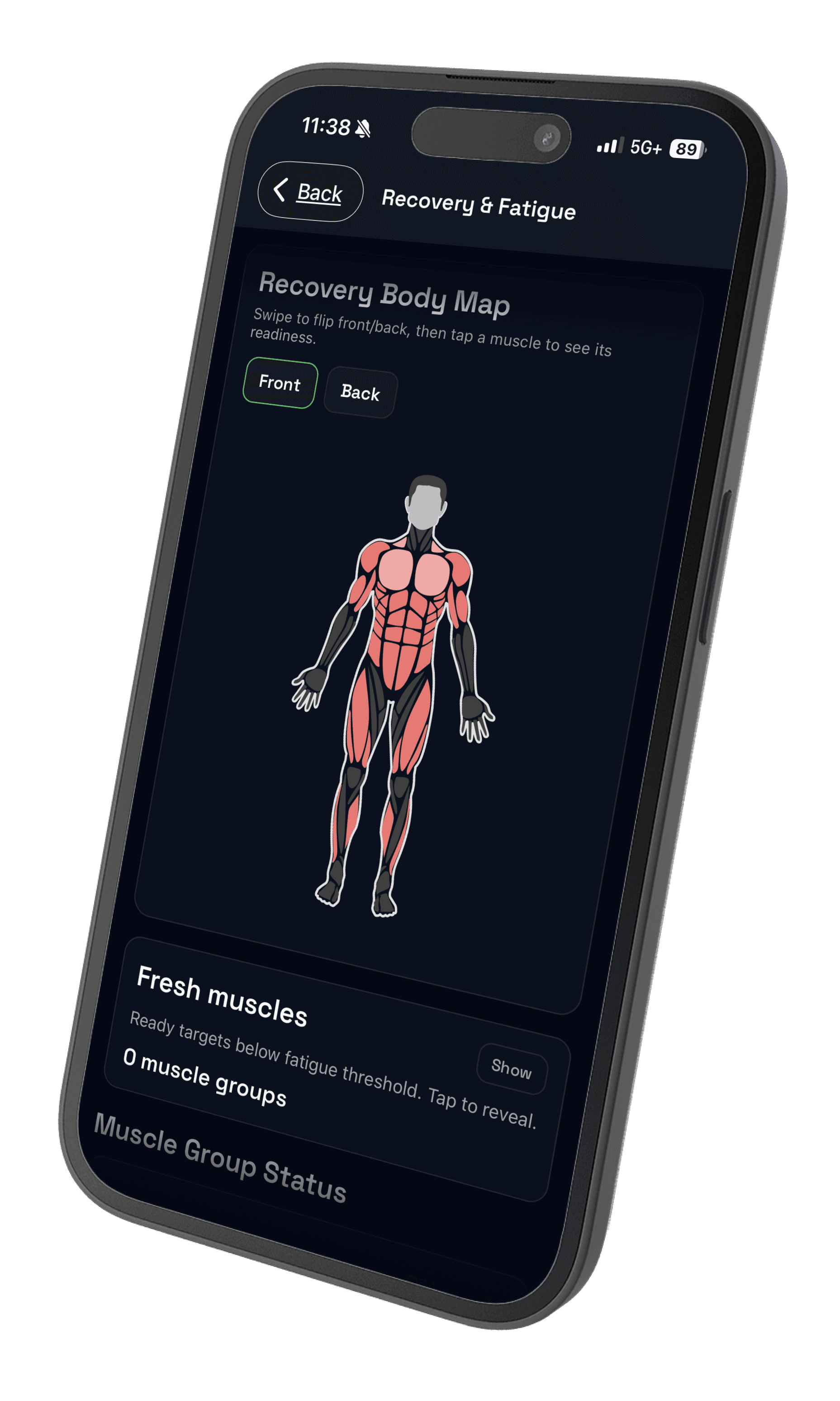
- Fatigue visibility: recovery notes that help you adjust before performance stalls.
- Fast swap flow: equipment changes should not break your session structure.
Hypertrophy criteria table (before you switch apps)
| Criterion | Push/Pull | What to verify in alternatives | Why it matters for hypertrophy |
|---|---|---|---|
| PPL template flexibility | Supports repeatable split templates and quick edits during real sessions. | Confirm how many templates you can run cleanly and whether edits are fast mid-workout. | Hypertrophy blocks usually need multiple day-types and accessory rotation. |
| Weekly volume visibility | History and analytics help you review workload trends quickly. | Check whether weekly trends are easy to review without spreadsheet exports. | Volume drives hypertrophy decisions, so trend clarity matters. |
| RIR and RPE support | Includes set-level effort tracking when you want tighter control. | Verify effort logging is optional and fast, not hidden behind extra steps. | Effort control helps you train hard while managing cumulative fatigue. |
| Recovery and fatigue context | Adds recovery signals so load increases can be adjusted with context. | Check whether the app shows fatigue patterns or only raw workout totals. | High-volume blocks fail when fatigue trends are ignored for too long. |
| Exercise swap speed | Designed for quick substitutions when equipment is busy. | Test one swap in a live workout and see if previous progress remains visible. | Gym constraints are real; swap friction reduces consistency. |
Weekly hypertrophy checklist (2-minute review)
- Confirm each PPL day was completed or intentionally moved.
- Check weekly sets per muscle and flag muscles that missed target volume.
- Review top compounds and identify one load or rep progression target.
- Adjust one exercise swap if equipment repeatedly blocks the same movement.
- Reduce or hold volume if fatigue is climbing while performance is flat.
This simple loop pairs well with sets-per-muscle planning and progressive overload review.
Template flexibility for PPL and hybrid splits
Most lifters looking for a push pull legs app do not run one static routine forever. Good hypertrophy plans evolve with schedule changes, equipment access, and weak-point focus.
- Keep core compounds stable so progression stays measurable.
- Rotate accessories with clear reasons, not random novelty.
- Maintain day-level intent: push focus, pull focus, and lower-body focus.
- Use simple naming so repeat weeks stay easy to navigate.
For split planning, use Push Pull Legs guidance and the workout split generator as setup support.

Track volume, RIR, and progression without overlogging
The best logs stay minimal during training. Capture exercise, sets, reps, load, and optional effort, then review trends once per week.
- Use RIR on hard sets where effort accuracy changes the next week's load decision.
- Track progression on a few priority lifts first before expanding detail.
- Keep accessory logging simple so session speed stays high.
If you want effort definitions and examples, review RIR and RPE explained.
Managing fatigue during high-volume blocks
Hypertrophy phases work best when hard training and recovery are both visible. If performance flattens while fatigue rises, hold load increases and recover before adding volume.
- Watch session quality, not just total sets.
- Use rest times that keep hard sets productive.
- Schedule deloads when signals stay negative for multiple sessions.
Related guides: rest between sets for hypertrophy and deload week timing.
Best for... by schedule and training context
- Best for 3 days/week: a simple PPL rotation with clear carry-over between weeks.
- Best for 4 days/week: hybrid splits that still preserve progression on key compounds.
- Best for 5-6 day hypertrophy blocks: apps with easy volume review and fatigue context.
- Best for limited-equipment gyms: quick exercise swaps that retain history and previous values.
Who this is for
- PPL lifters who want cleaner weekly progression decisions.
- Intermediate lifters managing higher hypertrophy volume blocks.
- Anyone replacing notes or spreadsheets with a faster gym workflow.
- Lifters who want optional effort and recovery context without extra clutter.
FAQ
What is the best hypertrophy workout tracker app?
Which app is best for PPL routines?
Should I track RIR in a hypertrophy app?
How do I track volume without overcomplicating logs?
What should I compare before switching from my current gym log?
Related reading
- RP Hypertrophy App Alternative for Flexible Training
- Push Pull Legs (PPL) for iPhone
- Workout Split Generator
- Workout Splits: Pros, Cons, and How to Choose
- How Many Sets Per Muscle Per Week?
- Workout Logging for Strength Training
Run your next hypertrophy block with clearer data
If you want a hypertrophy workout tracker app that keeps PPL progression obvious, run your next week in Push/Pull and compare logging speed, weekly review clarity, and recovery visibility against your current setup.