
Best Upper Lower Workout App for 4-Day Strength Training
A practical guide to choosing the best upper lower workout app for fast logging, repeatable templates, and cleaner progression across a 4-day split.

Quick answer: the best upper lower workout app is the one that makes a 4-day split easy to repeat without turning every session into admin.
For most lifters, that means two upper templates, two lower templates, fast set logging, previous-set context, and clean history so it is obvious what to progress next week.
Updated Mar 29, 2026: this guide focuses on upper/lower-specific selection criteria, not generic app roundups.
If you are still deciding which split fits your schedule, start with the workout split generator and workout splits guide. If you already know you want a hypertrophy-first PPL setup, see Best Hypertrophy Workout Tracker App for PPL Lifters.
What makes the best upper lower workout app?
- Separate day templates: Upper A, Lower A, Upper B, and Lower B should be easy to save, reuse, and edit.
- Previous-set context: you should see what you did on the same upper or lower day last week without digging.
- Quick exercise swaps: busy gyms should not break the structure of your split.
- Progress review by day type: upper days should compare with upper days, and lower days with lower days.
- Recovery fit: the app should make it easy to hold or progress load when fatigue is running ahead of performance.
Push/Pull works well here because it combines repeatable templates, fast logging, and clean history in one workflow built for strength-focused training.
| Need | What a strong upper/lower app does | Why it matters |
|---|---|---|
| Upper and lower day separation | Keeps each day template distinct and easy to repeat in the right order. | You do not want pull-ups from Upper B mixed into a lower-body review. |
| Previous performance visibility | Shows last session values beside your current working sets. | Upper/lower works best when progression is obvious on repeat lifts. |
| Swap flow | Lets you substitute one movement without rebuilding the session. | Real gyms are crowded, and upper/lower plans need quick adjustments. |
| Weekly review | Makes it easy to compare this week's upper and lower sessions with last week. | The split only works if small load and rep changes stay visible. |
The 4-workout test for an upper lower workout app
- Create Upper A, Lower A, Upper B, and Lower B templates.
- Run all four workouts in one normal training week.
- Swap one exercise when equipment is taken and see whether the session still stays organized.
- Check whether last week's numbers are visible on the same day type without menu-hopping.
- Review both upper days and both lower days in under two minutes after the week ends.
If that loop feels clean, you found an app that supports the split instead of adding friction to it. For the broader logging workflow behind this test, review the workout logging app page.
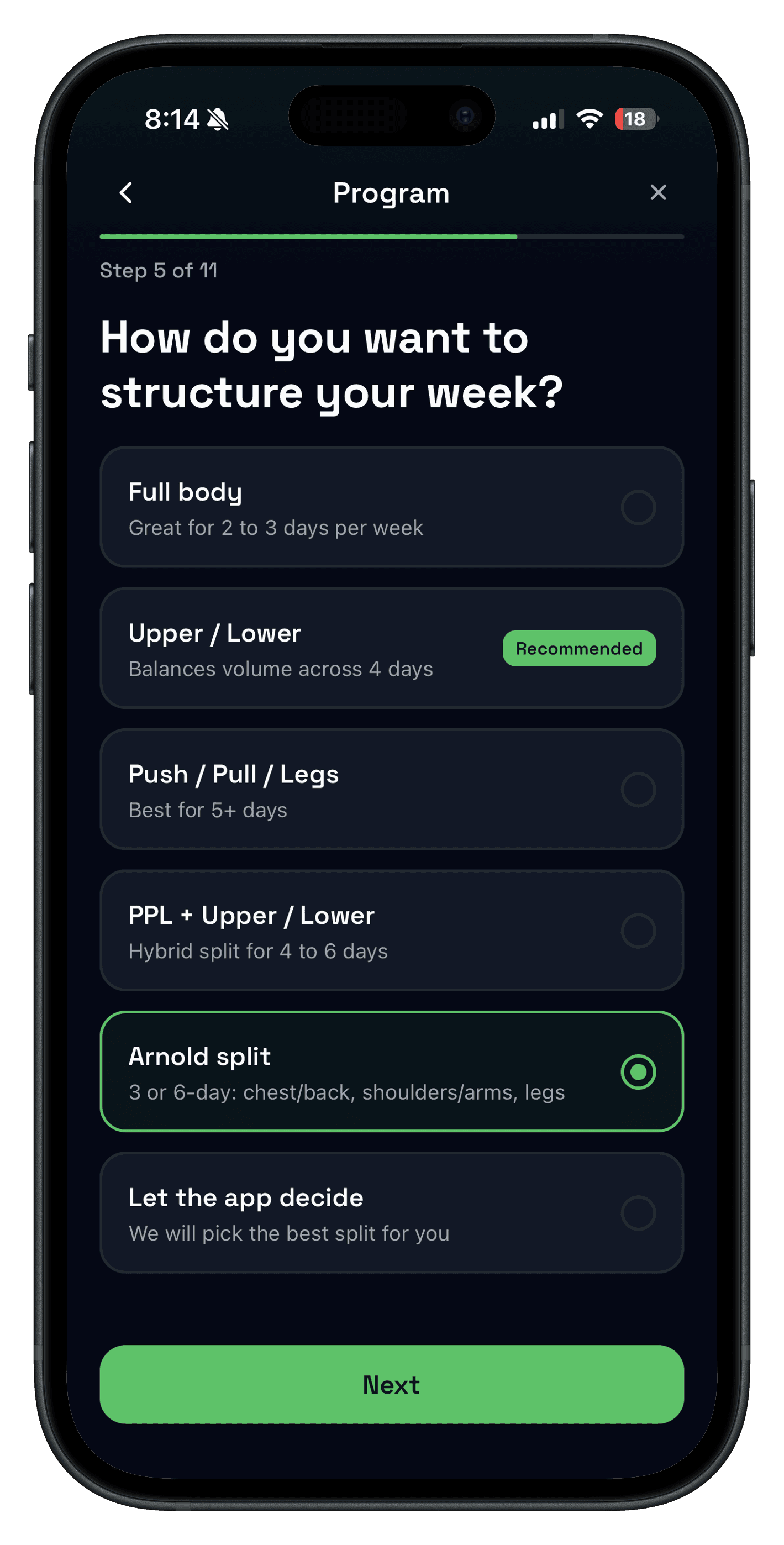
When upper/lower works better than PPL
Upper/lower usually wins when you want more structure than full body but do not want the frequency demands of push pull legs.
- Best for 4 days per week: upper/lower balances training frequency and recovery cleanly.
- Best for busy schedules: missing one session is easier to recover from than missing one piece of a 6-day PPL rotation.
- Best for repeatable progression: you get enough touch points on key lifts without spreading volume too thin.
If you are comparing splits, use Workout Splits: Pros, Cons, and How to Choose and Push Pull Legs guidance side by side before you commit to a block.
What should an upper lower workout app track?
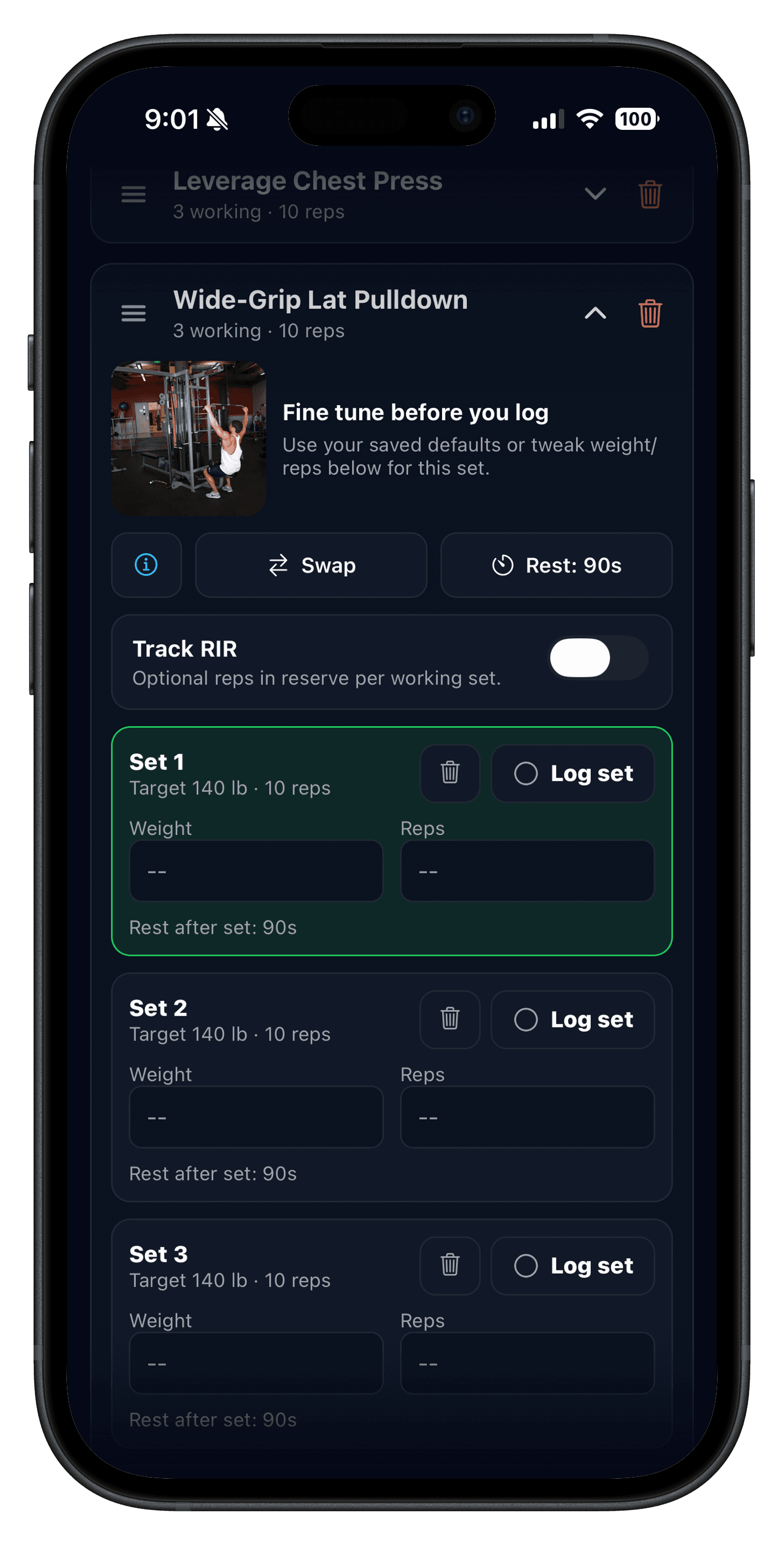
Keep the log lean enough to use every session. Most lifters only need a few data points to make upper/lower progression obvious.
- Exercise name
- Working sets
- Reps per set
- Weight used
- Optional notes for swaps, fatigue, or pain
If you want more volume detail, pair that basic log with Sets Per Muscle Per Week and the strength training tracker so weekly review stays actionable instead of bloated.
Who this guide is for
- Lifters training four days per week who want a split that feels structured but sustainable.
- People moving from full body into a more focused template without jumping to six-day PPL.
- Intermediate trainees who want previous-set context and cleaner weekly progression reviews.
- Anyone comparing generic gym apps with a strength-focused logging workflow.
If you need help setting the plan up from scratch, the workout planner app guide is the best companion read before you build templates.
FAQ
What is the best upper lower workout app?
Is upper/lower better than PPL?
How many days per week should I run an upper/lower split?
What should an upper lower workout app track?
Can beginners use an upper lower workout app?
Related reading
- Workout Split Generator
- Workout Splits: Pros, Cons, and How to Choose
- Workout Logging for Strength Training
- Strength Training Tracker
- Best Hypertrophy Workout Tracker App for PPL Lifters
Run your next upper/lower block with less friction
Push/Pull gives upper/lower lifters fast logging, flexible templates, and clear progression history without cluttering the workout. Run one week inside the app and compare how easy it is to repeat Upper A through Lower B.