
Progressive Overload App: What Smart Suggestions Should Actually Do
A feature-led guide to what a progressive overload app should actually do, from next-set suggestions to previous workout context and faster in-gym decisions.

Quick answer: a progressive overload app should do more than store old workouts. It should show your last matching session, suggest the next rep or load target, and stay fast enough to use between sets.
That is the real gap between a basic workout log and an app that actually helps you progress. If the app hides previous values or makes you guess when to increase weight, overload still turns into trial and error.
If you are still comparing multiple options, start with Best Progressive Overload Apps for Strength Training. This page answers the narrower feature question: what should a progressive overload app actually do inside a real lifting workflow?
What is a progressive overload app?
A good progressive overload app combines workout history with a clear next-step rule. It should help you decide whether to add reps, add load, or hold steady without making the workout slower.
The best version of that workflow is simple: repeat the lift, compare it to the last matching session, and make one small change. If you want the training basics behind that system, pair this with Progressive Overload Explained.
What should a progressive overload app actually do?
- Show previous workout values: you should not need extra taps to find the last matching set.
- Use a repeatable progression rule: usually reps first, then a small load jump.
- Stay fast in the gym: logging has to stay quick enough to use in real time.
- Handle edge cases cleanly: new exercises, bad days, and stalled lifts should not break the workflow.
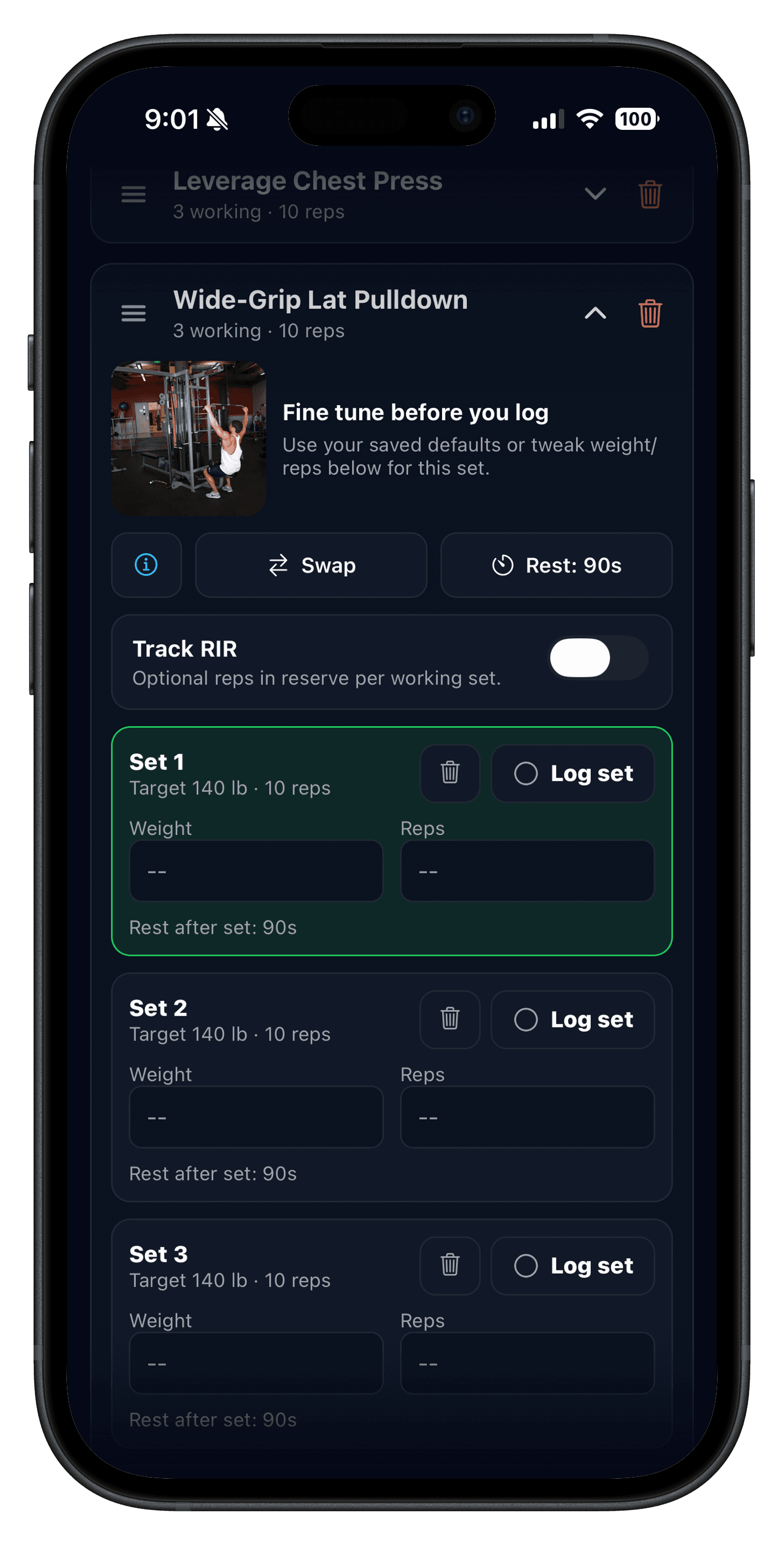
In Push/Pull, that workflow is supported by progressive overload suggestions, previous workout values, and fast workout logging. Those pieces matter because suggestions are only useful if you can see the context and act on it before the next set starts.
When should a progressive overload app tell you to add reps or add weight?
| Situation | Best next move | Why |
|---|---|---|
| You are mid-range with clean reps left | Add reps next time | Rep gains are usually the lowest-friction way to progress. |
| You reached the top of the range across work sets | Add 2.5-5 lb next time | You have earned a small load increase. |
| Technique slipped or reps got grindy early | Hold weight steady | Bad reps do not count as useful overload. |
| It is a new exercise with no real baseline | Start conservative, then adjust | The best apps avoid random guesses and make the first week easier to calibrate. |
This is why a good progression system needs more than a static history screen. It needs a rule you can repeat when the day is good, average, or slightly off.
Why basic workout logs break down for progressive overload
| Basic log | Overload-ready app |
|---|---|
| Stores sets, reps, and weight after the fact. | Shows the last matching workout while you are logging. |
| Makes you decide progression from memory. | Suggests whether to add reps, add weight, or hold steady. |
| Treats new exercises like a blank page every time. | Makes new lifts easier to start and easier to review later. |
| Works as storage. | Works as a decision tool. |
That is the gap Push/Pull tries to close on the strength training tracker side. The goal is not just cleaner records. It is clearer next-session decisions.
How Push/Pull handles progressive overload suggestions
- Progressive overload suggestions review recent sets and recommend the next load or rep range.
- You can apply all suggestions at once or keep only the ones that fit the day.
- RIR and RPE tracking adds extra context when a set technically went up but felt much harder than it should have.
- Starting weight suggestions help new exercises begin closer to the right intensity instead of forcing random first-week guesses.
That combination keeps the workflow practical. You still make the final call, but the app gives you a much better starting point than memory, notes, or a spreadsheet with no in-session context.
The 5-minute progressive overload app test
- Open one repeatable workout you have already run before.
- Check whether last session's sets are visible before you log the first work set.
- See if the app gives a clear next step when you finish the lift.
- Ignore one suggestion on purpose and confirm the workflow still feels flexible.
- Review the session afterward and ask whether next week's target is clearer than before.
If the answer to step five is still no, the app is probably collecting data without helping you act on it.
Who this is for
- Lifters who already understand progressive overload but want faster next-step decisions.
- People replacing notes or spreadsheets with a cleaner strength workflow.
- Template-based lifters running PPL, upper/lower, or repeatable strength blocks.
- Anyone tired of guessing whether a stalled lift needs more reps, more load, or more patience.
FAQ
What is a progressive overload app?
How should a progressive overload app decide when to add weight?
Do I need RIR or RPE for a progressive overload app?
What makes a progressive overload app better than a normal workout log?
Who benefits most from a progressive overload app?
Run your next block with clearer overload targets
If you want less guesswork between sets, use Push/Pull for one training week and compare how quickly you can log, review, and act on your next rep or load target.