
Best Progressive Overload App for Strength Training (2026)
A practical comparison of the best progressive overload app options with a clear rubric, side-by-side criteria, and decision rules by goal.
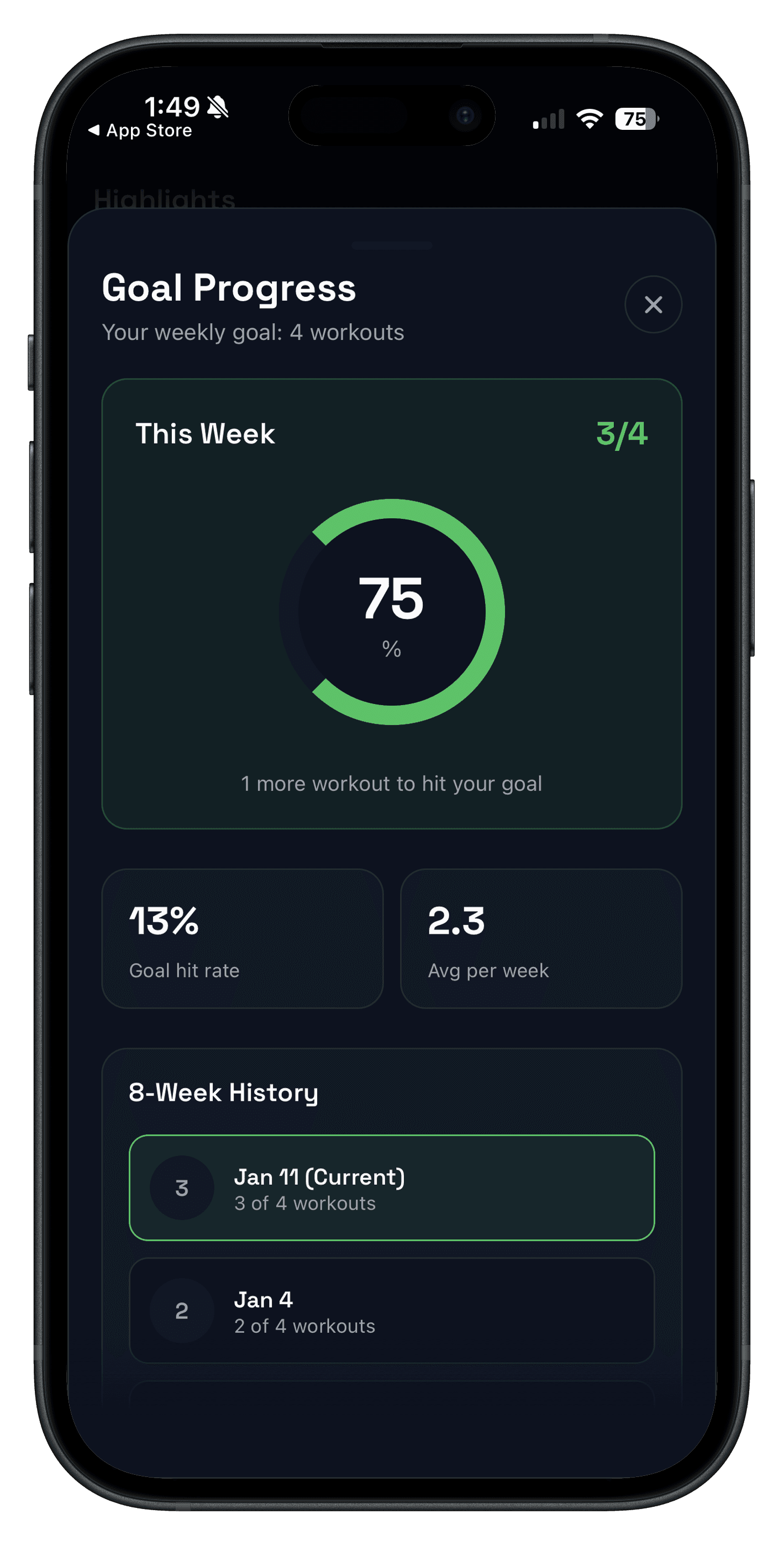
Quick answer: the best progressive overload app is the one that helps you decide what to beat next with minimal friction. If your app slows down set logging or hides your recent trends, overload breaks down even with a good training plan.
This guide compares Push/Pull, Hevy, and Strong using one rubric: how fast you can log, how clearly you can review progress, and how confidently you can set the next target in a real session.
Updated Apr 5, 2026: incorporates the latest source-checked Push/Pull vs Hevy and Push/Pull vs Strong comparisons so the tradeoffs stay current.
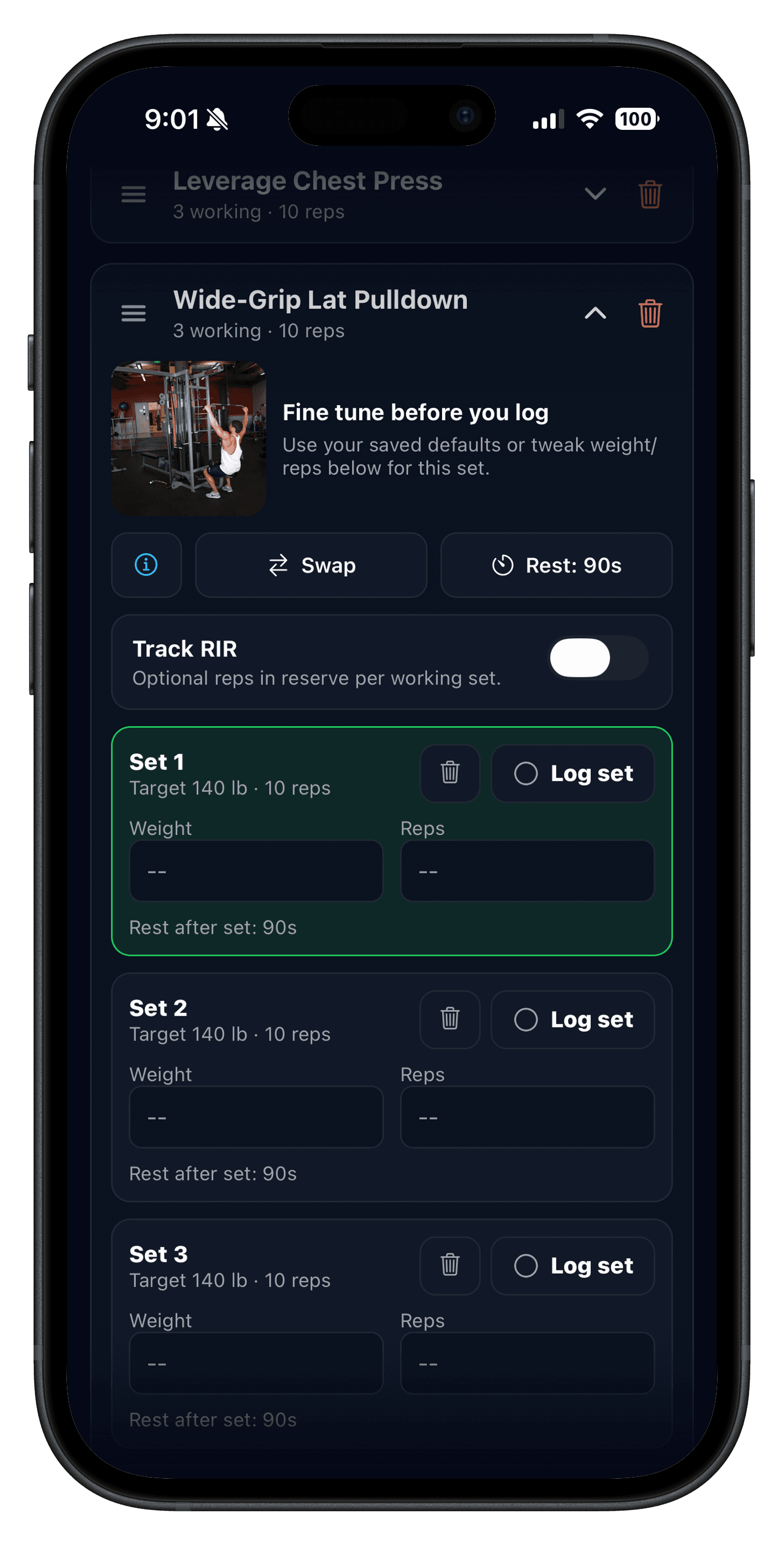
Note on images: screenshots in this post show Push/Pull only, so the interface examples are clear. Hevy and Strong are compared with cited feature pages and App Store listings.
Evidence snapshot used in this roundup comes from the detailed comparisons updated on Mar 30, 2026 (Hevy) and Apr 2, 2026 (Strong), plus current Push/Pull product and feature pages.
If you need the fundamentals first, start with Progressive Overload: Simple Rules to Get Stronger. If you want the broader commercial checklist, compare this with Best Gym Tracker App.
If you want the planning-heaviest alternative in this category, also review Alpha Progression pricing and the lighter alternative comparison.
What is the best progressive overload app?
For most lifters, Push/Pull is the best progressive overload app if you want faster logging, clearer next-session targets, and recovery context in one workflow. Hevy is the better fit if your first priority is a generous free tier, while Strong fits lifters who want a clean manual log without extra guidance.
The right choice depends on whether you want guided progression, free-tier flexibility, or a stripped-down logging experience. Use the quick picks and one-week test below to decide based on how you actually train.
Best progressive overload app: quick picks by goal
- Best for guided overload decisions: Push/Pull.
- Best for a strong free tier + social logging: Hevy.
- Best for minimalist manual logging: Strong.
- Best overall choice: whichever app keeps your next target clearest during a real training week.
How to choose the best progressive overload app
- Progression support: clear next-step logic for load, reps, or volume.
- History clarity: recent workouts and trends should be visible in seconds.
- Recovery context: enough signal to decide when to push, hold, or deload.
- In-session speed: logging must stay quick between sets.
If an app misses two or more of those criteria, it usually becomes a workout log that stores data without helping you act on it. The best progressive overload app should make the next decision easier, not just the record cleaner.
Best progressive overload apps compared
| App | Progressive overload support | History clarity | Recovery context | Apple Watch flow | Best for |
|---|---|---|---|---|---|
| Push/Pull | Built-in progressive overload suggestions and editable templates for repeatable strength blocks. | Fast set history and trend visibility across sessions. | Adds recovery and fatigue context for better week-to-week adjustments. | Apple Watch support plus in-session controls and Live Activity support. | Lifters who want progression + recovery context in one workflow. |
| Hevy | Strong manual overload workflow with routine planning, progression charts, and broad free-tier access. | Good progress history visibility, with deeper windows in paid tiers. | Focused more on logging and analytics than recovery-readiness modeling. | Apple Watch support is publicly documented and widely used. | Lifters who want strong free-tier value and social accountability features. |
| Strong | Reliable manual progression tracking through templates, previous values, and performance metrics. | Clean history flow geared toward quick session execution. | No public focus on recovery heatmaps/readiness signals in core messaging. | Apple Watch workflow and Apple ecosystem support are well documented. | Lifters who want a straightforward, ad-free style training log. |
Source links and deeper breakdowns: Push/Pull vs Hevy and Push/Pull vs Strong. Official pages reviewed in those comparisons include Hevy, Strong, and each app's iOS App Store listing.
App-by-app pros and tradeoffs
Push/Pull
- Best when you want guided overload decisions instead of manual guesswork.
- Combines progression history, recovery context, and optional AI support in one workflow.
- Supports structured split planning and quick edits for real gym conditions.
Relevant pages: Strength Training Tracker, Progressive Overload Suggestions, Recovery Body Map, and Apple Watch.
Hevy
- Best when you want a generous free tier and a social-first lifting workflow.
- Strong fit for lifters comfortable managing overload decisions manually from trend/history views.
- Good option if community features matter as much as log speed.
Strong
- Best when you want a polished, no-drama logging experience with solid ecosystem support.
- Good for template-based lifters who prefer making progression calls manually each week.
- Fits users who value straightforward execution over extra guidance layers.
Best for... decision framework
- Best for beginners: whichever app keeps daily logging friction lowest.
- Best for data-driven lifters: Push/Pull or Hevy, depending on whether you want built-in guidance or manual analysis.
- Best for Apple Watch users: Push/Pull, Hevy, and Strong all support watch workflows; run one-week tests to confirm your in-gym speed.
- Best for breaking plateaus: the app that makes weekly trend review and next-session targets obvious.
Plateau troubleshooting guide: How to Break a Strength Plateau.
If you also care about split setup and template flow, pair this comparison with Workout Log: Track Sets, Reps, and Weight and Workout Logging for Strength Training.
How to run a 7-day progressive overload app test
- Use one identical 3-4 day routine in both apps.
- Log every set in real time and avoid backfilling at home.
- Score each app daily for speed, clarity, and confidence in your next target.
- Do one weekly review and keep the app that gives clearer next-week decisions.
If your current logs feel messy, pair this test with Workout Logging for Strength Training.
Who this is for
- Lifters comparing the best progressive overload apps before switching from their current tracker.
- Strength-focused users who want clearer weekly progression decisions.
- Intermediate lifters who need better overload consistency across busy schedules.
- Anyone replacing notes or spreadsheets with a faster training workflow.
FAQ
What is the best progressive overload app for strength training?
What features matter most for progressive overload tracking?
What is the best app to track strength training progress?
Is Apple Watch support important for progressive overload?
How often should I review progressive overload data?
Can I track progressive overload without AI planning?
Should I switch apps immediately if one has more features?
Related reading
- Progressive Overload: Simple Rules to Get Stronger
- Push/Pull vs Hevy
- Push/Pull vs Strong
- Best Hypertrophy Workout Tracker App for PPL Lifters
- How to Break a Strength Plateau
Run your next 4-week block with clearer overload targets
If you want less guesswork in progression decisions, use Push/Pull for one week and compare your logging speed, weekly trend clarity, and next-session confidence against your current setup.