
Is Strong Free? 3-Routine Limit, PRO Price, and Alternative
Is Strong free? See its official unlimited-workout allowance, 3-routine cap, current PRO pricing, and when an alternative makes more sense.

Quick answer: Strong is free, and as of August 1, 2026, its U.S. App Store listing says the free version can save unlimited workouts, but it is limited to 3 custom routines. Strong's own template help article uses the older Workout Templates wording, but the cap is the same.
That means the real Strong free version bottleneck is routine storage, not workout history. If you run one or two simple setups, Strong free may still be enough. If you rotate push/pull/legs, upper/lower, accessories, travel templates, or multiple phases, Strong PRO or a Strong app alternative becomes the real decision.
Updated August 1, 2026: this comparison uses the current Strong homepage, the U.S. iOS App Store listing, and Strong help-center articles for Templates, Strong PRO, and Apple Watch support.
If you already use Strong, do not switch because of a feature list. Run the same template in both apps for a week and keep the one that produces less friction and clearer next-step decisions in real sessions.
Looking for StrongLifts instead? That is a different, 5x5-first app; use our StrongLifts alternative guide to compare a fixed barbell program with a flexible workout tracker.
Deciding between Strong and Hevy, not Push/Pull? Our Hevy vs Strong head-to-head comparison keeps that two-app choice separate from this Strong free-tier and alternative guide.
- Stay on Strong free if one or two repeatable routines cover most of your training and manual progression still feels easy to manage.
- Upgrade to Strong PRO if you like Strong and mainly need more than three templates plus charts and calculators.
- Switch apps if you want template freedom plus clearer overload suggestions, recovery context, and a more guided next-session workflow.
Strong free vs PRO at a glance
If you are comparing Strong free versus Strong PRO, the upgrade decision is mostly about template capacity and deeper analysis tools, not whether you can keep logging workouts.
| Question | Strong free | Strong PRO | Why it matters |
|---|---|---|---|
| Does Strong free limit workout history? | No. Strong's U.S. App Store listing says the free version can save unlimited workouts. | No. Strong's PRO help article says your workout data remains available either way. | Workout history is not the paywall. The real bottleneck is routine capacity. |
| How many saved routines can you keep? | 3 custom routines in the App Store and up to 3 Workout Templates in the help center. | Unlimited Workout Templates. | This is the main free-tier limit that hits rotating PPL, upper/lower, and travel blocks. |
| What extra tools do you unlock? | Core manual logging stays available, but Strong reserves its deeper analysis tools for PRO. | All Charts, Plate Calculator, Warm Up Calculator, and body-part measurements. | This determines whether upgrading changes analysis depth or just removes the routine cap. |
| What does it cost? | Free to download and use within the routine cap. | The current U.S. App Store description markets Strong PRO at $4.99/month or $29.99/year. | Compare the upgrade cost with how often the 3-routine cap slows your training down. |
If you mostly care about logging and only run one or two stable routines, Strong free can still work. If you need more than three saved setups or want deeper analysis, the real choice is paying Strong PRO or switching to a tool with a different progression workflow.
Strong app free version limitations: what is actually capped?
- Unlimited workout logs:Strong's App Store listing says the free version can save unlimited workouts.
- 3 saved routines/templates: the same listing says the free version is limited to 3 custom routines, and Strong help articles use the older Workout Templates label for the same 3-item cap.
- PRO removes that ceiling: Strong help pages describe PRO as unlocking unlimited templates plus advanced charts, plate calculator, and warm-up calculator features.
- Apple Watch support still matters: Strong keeps Apple Watch support, Apple Health integration, and Cloud Sync in its public free-friendly positioning.
The simplest way to read Strong's free tier is this: workout logs stay open, but templates are the bottleneck. Once you need more than three saved routines, you either trim your training structure, pay for Strong PRO, or move to an app without that ceiling.
If you run more than three saved routines across push/pull/legs, upper/lower planning, or short travel blocks, that cap becomes less about price and more about training friction.
Where can you verify Strong app free version limitations officially?
- U.S. App Store listing: says Strong free can save unlimited workouts, but is limited to 3 custom routines, and shows the current U.S. Strong PRO price snapshot.
- Templates help article:says free users can create up to 3 Workout Templates, which is the same cap under Strong's older naming.
- Strong PRO help article: lists unlimited Workout Templates, all Charts, Plate Calculator, Warm Up Calculator, and body-part measurements as PRO features.
If you see custom routines in the App Store and Workout Templatesin the help center, treat them as the same practical limit. The wording differs across Strong's official sources, but the free-tier ceiling still points to three saved workout setups before Strong PRO becomes necessary.
Should you pay for Strong PRO or switch to a Strong alternative?
Strong's free version is still a fair fit if you run one or two stable routines and prefer making progression calls manually. Strong PRO mainly solves the template cap and adds deeper charts or calculators. It does not turn Strong into a more guided progression tool. If your real bottleneck is deciding what to do next session, a Strong alternative can be the better upgrade than Strong PRO.
| Situation | Best Strong path | Best choice overall |
|---|---|---|
| 1-2 repeatable routines | Stay on Strong free if you like a simple manual log. | Keep Strong if friction stays low. |
| 3+ rotating routines, but you still like Strong | Upgrade to Strong PRO for unlimited templates. | Use Strong PRO if the cap is the only real issue. |
| Want clearer overload decisions | Strong stays manual even with PRO. | Push/Pull is usually the better fit. |
| Apple Watch-first workflow | Strong remains credible with watch logging, timers, and live sync. | Test both apps with your normal sessions. |
What makes a good Strong app alternative?
- Progression clarity: you should know exactly what to beat next session.
- Template freedom: routine caps should not interrupt a real split.
- Free-tier clarity: you should know exactly which routine or template limits appear before checkout.
- Watch and phone flow: the logging workflow should stay fast when the session gets busy.
Source snapshot (checked August 1, 2026)
- Strong homepage: strong.app
- Strong iOS listing (free-tier copy, Apple Watch support, CSV export, and current U.S. pricing snapshot): App Store
- Strong template help article: What is a Template and how do I use them?
- Strong PRO help article: What is Strong PRO?
- Strong Apple Watch help article: About Strong for Apple Watch
Comparison table (current data)
| Criterion | Push/Pull | Strong | Why it matters | Current source |
|---|---|---|---|---|
| Fast set logging + previous values | Supported (live pages: fast logging plus previous workout values). | Supported. Strong describes the app as simple, fast, intuitive, and its iOS listing highlights previous workout details, PR tracking, notes, and warm-up sets. | Faster logs improve consistency between sets and across full blocks. | strong.app + App Store |
| Routine storage limits | Unlimited templates for subscribers (after trial), built for repeatable blocks. | The U.S. App Store says the free version can save unlimited workouts but is limited to 3 custom routines. Strong help articles use the older Workout Templates label for the same 3-item cap. Strong PRO unlocks unlimited templates. | Template limits directly affect how many splits you can run cleanly. | Strong help center + App Store |
| Progression visibility | Built-in overload suggestions plus history and fatigue trends make plateaus easier to catch early. | Strong highlights previous workout details, PR tracking, notes, warm-up sets, and volume or 1RM progression graphs in its official materials. Strong PRO adds advanced graphs and charts. | Seeing trends matters more than just collecting raw logs. | strong.app + Strong help center + App Store |
| AI-generated workouts + smart exercise swaps | Optional AI workout generator plus smart AI exercise swap support, with editable outputs. | Strong's current public pages position it as a manual workout tracker, with no public claim of auto-generated workouts or progression recommendations. | AI tools can reduce planning friction when equipment or time changes. | Push/Pull AI pages + reviewed Strong sources |
| Apple Watch and Apple ecosystem workflow | Supported (Apple Watch feature plus Live Activity pages). | Strong's App Store listing says the Apple Watch app can log workouts with or without your iPhone, and its Apple Watch help article says timers, warm-up sets, live sync, and heart rate tracking are available. | Watch flow can reduce phone handling and keep sessions moving. | Apple Watch help center + App Store |
| Pricing and trial | $6.99/month or $49.99/year after a 7-day free trial (from push-pull.app, Apr 23, 2026). | Free to download. The U.S. App Store description currently markets Strong PRO at $4.99/month or $29.99/year. The in-app purchase list also shows additional SKUs, so exact offers can vary by account, region, or prior purchase history. | Pricing only matters after the daily workflow proves it fits. | App Store + Strong help center |
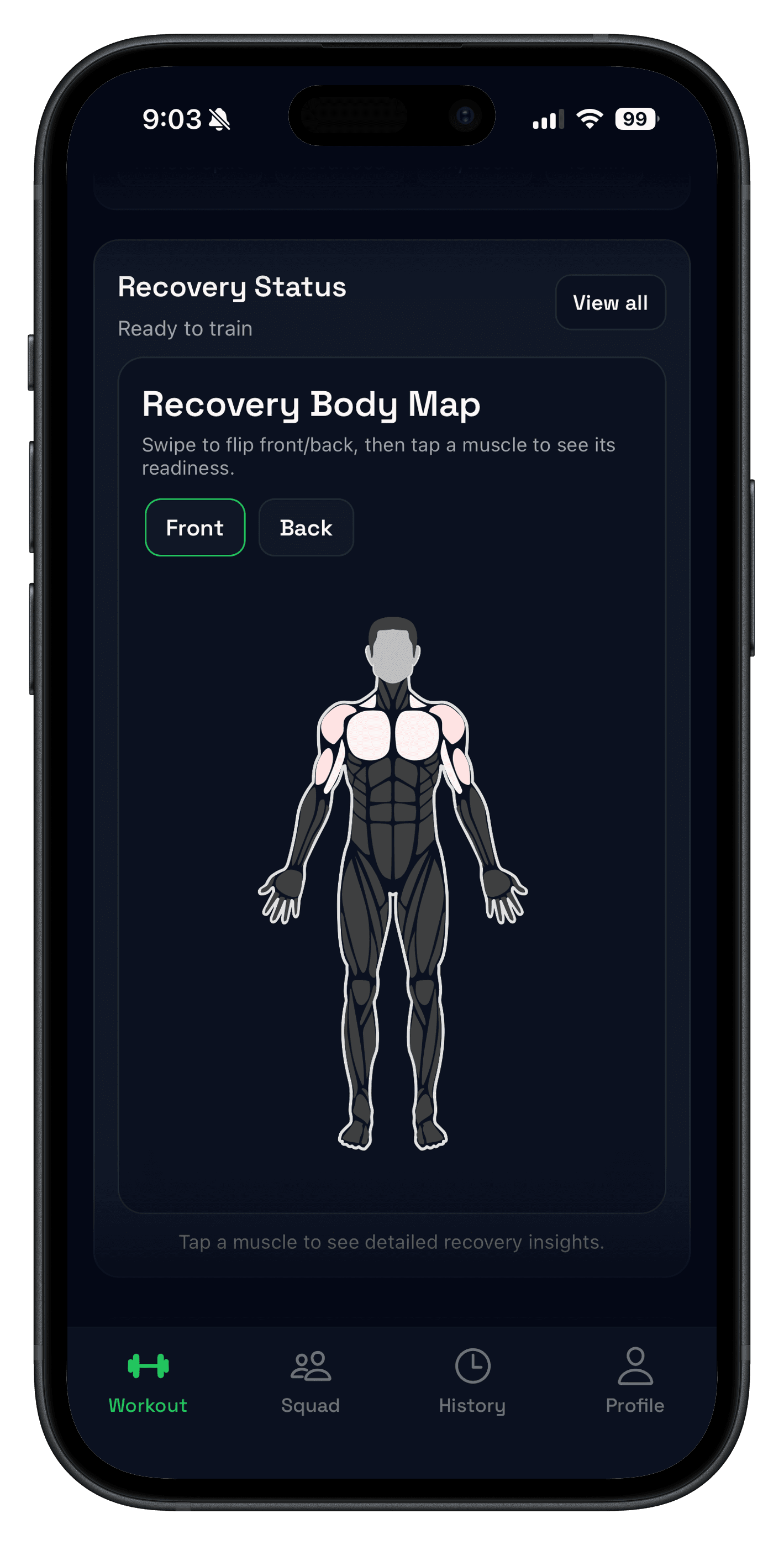
Product pages referenced above: workout logging, strength tracking, AI workout planner, template editing and swaps, progressive overload suggestions, recovery body map, and Apple Watch support.
Strong also markets cross-device access and Cloud Sync, and the iOS listing says workout data can be backed up automatically. That matters if data portability is part of your decision, but it does not replace clear in-session progression guidance.
Strong pricing can vary by region or future promotions, so treat the U.S. App Store numbers above as a snapshot from August 1, 2026 rather than a permanent guarantee.
How to compare Push/Pull vs Strong fairly in one week
- Use the same 3-4 day routine in both apps.
- Log each working set immediately after you finish it.
- Review your next target for the main lift after each session.
- Keep the app that makes the next week feel more obvious.
This removes feature-list bias and focuses on what actually changes results: consistent logging plus a clear next progression target.

Pros and cons
Push/Pull pros
- Fast logging flow with previous values visible during training.
- Built-in progressive overload suggestions with history and fatigue trends that help reveal plateaus early.
- Optional AI-generated workouts and smart AI exercise swaps to cut planning friction.
- Apple Watch support and Live Activity options for in-session visibility.
- Templates and split support for repeatable strength and hypertrophy blocks.
Push/Pull cons
- Subscription is required after the 7-day trial.
- If you only want a bare manual log, some users may prefer a simpler surface area.
Strong pros
- Free-forever positioning with a straightforward manual logging workflow.
- Free version still includes workout logging, stats, Strong Cloud backup, Apple Watch support, and unlimited workout logs.
- Apple Health sync, CSV export, and cloud backup are all documented on the current iOS listing.
- Strong PRO adds unlimited templates, advanced graphs, and built-in calculators.
- Strong is a polished option if you prefer manual control over guided progression prompts.
Strong cons
- Free version is limited to 3 custom routines/templates.
- Strong's public materials focus on logging and reporting, not built-in next-step progression recommendations.
- Current public pages do not advertise AI-generated workouts or smart equipment-aware exercise swaps.
Who this is for
- Strong users who want more built-in guidance for progressive overload.
- Lifters running repeatable strength or hypertrophy blocks who need clearer weekly decisions.
- Apple Watch lifters deciding between a manual log and a more guided progression workflow.
Best for... decision framework
- Best Strong app alternative for progressive overload: Push/Pull.
- Best for free, straightforward manual workout logging: Strong free.
- Best if you like Strong and only need more templates: Strong PRO.
- Best for AI-generated workouts and smart AI swaps: Push/Pull.
- Best for recovery plus progression in one place: Push/Pull.
FAQ
Is Push/Pull a good Strong app alternative?
What are Strong free version limitations?
Is Strong app free in 2026, and does it allow unlimited workouts?
Does Strong free limit workout history?
Does Strong support Apple Watch and Apple Health?
Is Strong good for progressive overload?
What does Strong PRO unlock?
How much does Strong PRO cost right now?
Should I pay for Strong PRO or switch apps?
How many routines does Strong free version allow?
Where can I verify Strong app free version limitations officially?
How should I compare Push/Pull and Strong fairly?
Related reading
- Push/Pull vs Hevy: Which App Is Better for Progressive Overload?
- Best Gym Tracker App for Strength Training
- Progressive Overload: Simple Rules to Get Stronger
- Best Progressive Overload Apps for Strength Training
- Workout Log: Track Sets, Reps, and Weight Without Overthinking
- Apple Watch Support
Try a clearer progression workflow this week
The best tracker is the one that keeps your next step obvious. If you want a Strong alternative that adds guided progression instead of just cleaner logs, run your normal routine in Push/Pull for one week and see which app makes the next session easier to plan.