
Alpha Progression Pricing (2026): Cost, Free Trial, and Alternative
A source-checked Alpha Progression pricing guide covering official $12.99 monthly, $79.99 yearly, 14-day trial terms, device support, and a lighter alternative.
Quick answer: Alpha Progression pricing in 2026 is $12.99/month or $79.99/yearin USD as of July 9, 2026. Alpha Progression's official subscribe page and current U.S. App Store listing both show those prices, and both plans currently market a 14-day free trial for new customers.
If you are searching for the official Alpha Progression app pricing, that is the cleanest current published snapshot. The better comparison question is whether that higher price buys the right workflow for you, or whether a lighter and cheaper tracker like Push/Pull is the better fit.
Updated July 9, 2026:this comparison uses Alpha Progression's official homepage, official subscribe page, current U.S. iOS App Store listing, and current Google Play listing.
If you want the broader shortlist first, compare this with Best Progressive Overload Apps for Strength Training.
- Choose Push/Pull if you already know how you want to train and mostly need a cheaper, cleaner workflow for logging, previous values, and next-session decisions.
- Choose Alpha Progression if you want a science-based plan generator, built-in progression recommendations, charts, and periodization tools inside the same app.
- Test the same split in both if you are not sure whether your real bottleneck is plan building or workout execution.
Alpha Progression pricing (2026): official monthly, yearly, and 14-day trial
- Monthly:$12.99/month on Alpha Progression's current USD subscribe page and U.S. App Store listing.
- Yearly: $79.99/year on the official subscribe page and U.S. App Store listing.
- Trial: 14-day free trial for new customers on both plans.
- Download model: free to download, but best understood as a paid subscription after trial.
For a lifter comparing app value, that makes Alpha Progression meaningfully more expensive than Push/Pull's $6.99/month or $49.99/year after a 7-day trial. Price should not decide the whole switch, but it should be weighed against how much you actually want a heavier plan generator versus a lighter logging workflow.
Source snapshot (checked July 9, 2026)
- Alpha Progression homepage: alphaprogression.com/en
- Alpha Progression subscribe page: alphaprogression.com/en/subscribe
- Alpha Progression U.S. iOS listing: App Store
- Alpha Progression Android listing: Google Play
- Push/Pull pricing and trial details: push-pull.app pricing section
What makes a good Alpha Progression alternative after you check pricing?
- Planning fit: the app should either build a plan you trust or stay out of the way once you already have one.
- Logging speed: sets, reps, and weight should stay fast enough to use between sets.
- Progression clarity: it should be obvious what to repeat, increase, or hold next session.
- Device fit: phone, watch, and platform support should match how you actually train.
- Pricing fit: compare the real workflow first, then the recurring cost.
| If you want... | Better fit | Why |
|---|---|---|
| A science-based custom plan generator | Alpha Progression | Its official site leads with tailored hypertrophy plans, progression recommendations, and exercise-science-driven setup. |
| Faster in-session logging with less overhead | Push/Pull | Push/Pull is built around quick set entry, repeatable templates, and previous-workout context close to the current set. |
| Charts, periodization, and deload tools in one planning flow | Alpha Progression | Its official pages and mobile listings explicitly highlight charts, RIR tracking, periodization, deloads, and plan recommendations. |
| Apple Watch support and recovery-aware next decisions | Push/Pull | Push/Pull publishes a dedicated Apple Watch workflow and pairs progression with readiness context, while Alpha Progression's U.S. App Store listing is currently iPhone-only. |
| A lighter workflow for recurring splits you already trust | Push/Pull | If you already run PPL, upper/lower, or a custom split, a leaner tracker is usually easier to execute consistently than a heavier planning surface. |
What Alpha Progression does really well
The clearest case for Alpha Progression is planning depth. Its official homepage leads with a science-based custom plan generator, progression recommendations, a curated exercise database, and progress charts. Its current subscribe page expands that pitch with custom training plans, set-by-set weight and rep recommendations, exercise evaluations, charts, and RIR, periodization, plus deload tools.
The mobile listings add more detail. The current Google Play and U.S. App Store descriptions both highlight progression recommendations, rest timer support, charts, plan sharing, and CSV export. That makes Alpha Progression easy to recommend when your main problem is not just logging workouts faster, but building and progressing a hypertrophy plan with more structure built in.
- Custom plan generator: build a plan around training frequency, target muscles, and available equipment.
- Per-set progression guidance: official pages say the app recommends weight and reps from past performance.
- Planning depth: charts, RIR, periodization, and deload tools are all part of the public pitch.
- Mobile reach: App Store and Google Play support makes it relevant for lifters who need iPhone or Android access.
If that is the workflow you want, Alpha Progression is a legitimate option. It especially makes sense for lifters who want more help building and progressing a plan before the training block even starts.
Where Push/Pull fits better
Push/Pull fits better when you do not need the heaviest planning layer. If you already have a workable split, the real job becomes logging cleanly, seeing your last numbers fast, and making the next decision without bouncing through a bigger planning surface.
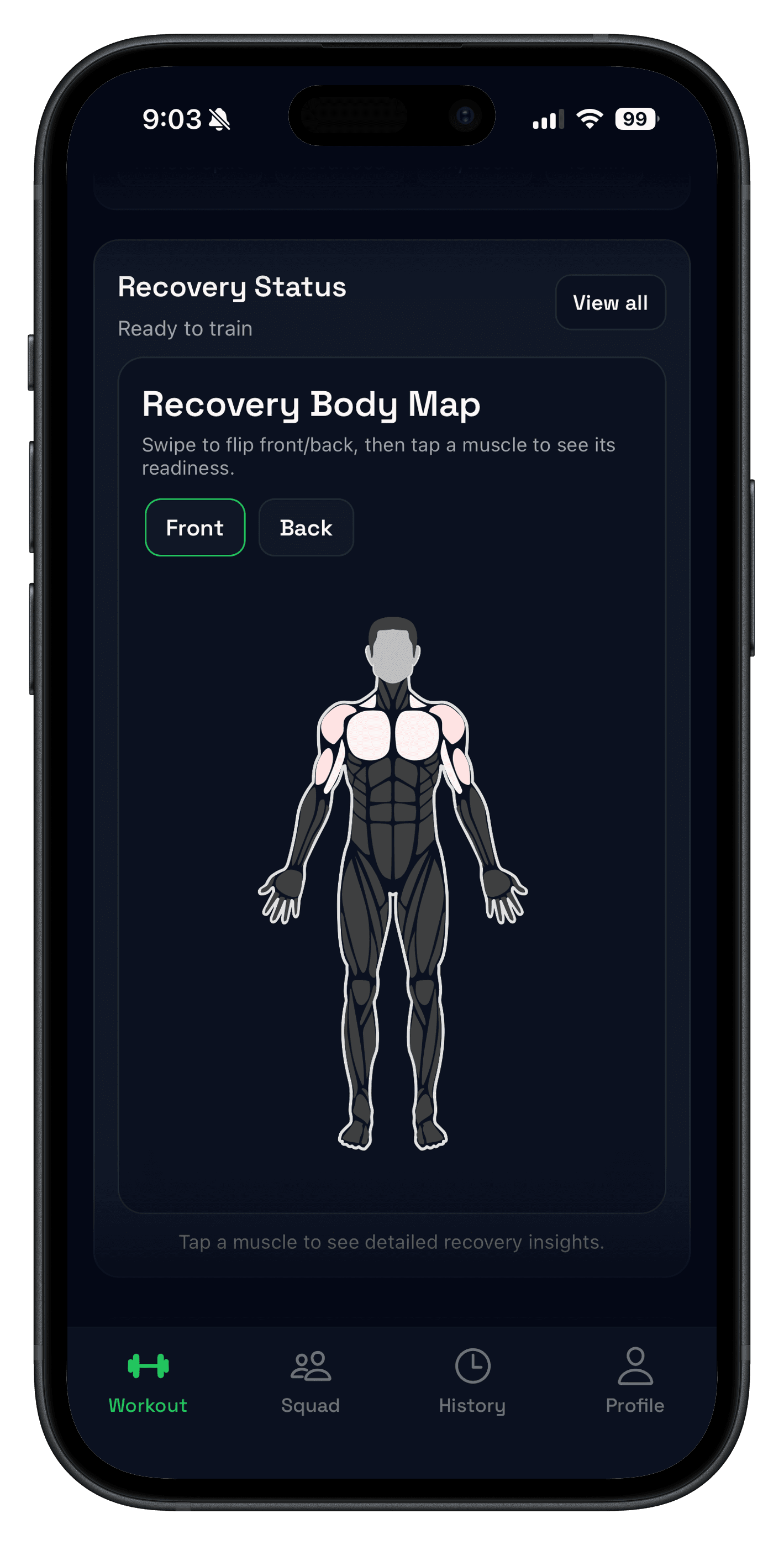
That is where Push/Pull separates itself. The product is built around workout logging, strength tracking, previous workout values, Apple Watch support, progressive overload suggestions, and recovery body map so the next set and next session stay obvious without much extra admin.

If you want some plan help without fully switching into a planning-heavy workflow, compare that with the AI workout planner. That route keeps structure available without turning every workout into a bigger setup task.
Alpha Progression vs Push/Pull: pricing, trial, and platform fit
Pricing matters, but only after the workflow fits. At the current official snapshot, both products are best thought of as paid subscriptions after trial, but they package value differently.
| Criterion | Push/Pull | Alpha Progression | Why it matters |
|---|---|---|---|
| Free start | 7-day free trial before paid subscription. | Official subscribe page markets a 14-day free trial for new customers. | This changes how much of the workflow you can evaluate before paying. |
| Monthly price | $6.99/month after trial. | $12.99/month on the current USD subscribe page. | Monthly pricing matters most if you are still figuring out app fit. |
| Yearly price | $49.99/year after trial. | $79.99/year on the current USD subscribe page. | Annual pricing matters more once you know the workflow fits. |
| Public device story | iPhone plus a dedicated Apple Watch workflow. | Official site links to App Store and Google Play; the current U.S. App Store listing says only for iPhone. | Platform fit matters if Android access or watch logging is part of your setup. |
| Best starting point | Lifters who already know their split and want faster execution. | Lifters who want more plan generation and progression structure upfront. | This is the clearest way to separate the two products. |
Alpha Progression pricing can vary by currency, region, or store checkout flow, so treat the numbers above as a dated official snapshot rather than a permanent universal checkout quote.
Who each app is for
- You already have a split and mostly need faster execution in the gym.
- You want previous values and current-session context close to the active set.
- You want Apple Watch support and a lighter iPhone-first workflow.
- You want progression plus recovery context without a heavier planning surface.
- You want a science-based plan generator and more built-in programming structure.
- You value charts, RIR, periodization, and deload tools in the same app.
- You want Android support in addition to iPhone access.
- Your main problem is plan setup and progression guidance, not raw logging friction.
How to compare Push/Pull and Alpha Progression fairly
- Pick one 4- to 6-week block you would actually run next.
- Set up the same exercise list and rep targets in both apps without changing the plan structure.
- Run two or three real sessions and note setup time, logging speed, previous-value visibility, and whether the next step feels obvious mid-workout.
- Keep the app that makes week two easier to execute, not the one with the longer feature list.
That removes most of the bias. If your real bottleneck is program structure, Alpha Progression usually feels stronger. If your real bottleneck is in-gym execution, Push/Pull usually feels better.
FAQ
What is Alpha Progression pricing in 2026?
Does Alpha Progression have a free trial?
Is Alpha Progression free?
Is Push/Pull cheaper than Alpha Progression?
Is Push/Pull a good Alpha Progression alternative?
How much does Alpha Progression Pro cost?
Does Alpha Progression support progressive overload?
Does Alpha Progression support Apple Watch?
Who should choose Alpha Progression over Push/Pull?
Try the lighter workflow for one real training week
If you want an Alpha Progression alternative that keeps the next set and next session obvious, run your normal split in Push/Pull for one week and compare how fast it feels when the workout actually starts.