Liftin' Alternative: Push/Pull vs Liftin' for Strength Training
A source-checked Liftin' alternative comparison for lifters choosing between automatic progression and a broader logging, recovery, and accountability workflow.

Quick answer: the best Liftin' alternativedepends on how much of your progression you want the app to automate. Choose Liftin' if you want configurable rules that can raise or lower training weights and a standalone Apple Watch workflow. Choose Push/Pull if you want fast logging, previous values, progression suggestions, readiness context, shared templates, and squads while keeping the final training decision yourself.
Both apps are credible Apple-first workout trackers. The meaningful differences are progression control, recovery and accountability context, device coverage, and price—not whether either app can record sets, reps, and weight.
Source check: Jul 7, 2026.Liftin' details below were verified against its official website and current U.S. App Store listing. Storefront offers and product features can change, so confirm subscription terms on your device before paying.
- Choose Liftin' for configurable automatic progression, built-in programs, and broader Apple device support.
- Choose Push/Pull for a logging-first workflow with previous values, progression guidance, recovery signals, shared templates, and accountability.
- Choose another app on Android. Neither product currently lists an Android version.
Liftin' alternative comparison: verified source snapshot
Current official sources answer the important platform, progression, free-version, and pricing questions:
- Liftin's automatic progression, built-in programs, Apple Watch workflow, and extended website trial: Liftin' official website
- Liftin's supported devices, five-workout monthly free limit, current U.S. prices, and introductory offer: Liftin' on the U.S. App Store
Push/Pull vs Liftin' comparison table
| Criterion | Liftin' | Push/Pull |
|---|---|---|
| Best fit | Lifters who want configurable automatic progression in an Apple-native tracker. | Lifters who want fast logging plus recovery and accountability context. |
| Progression model | Rules can automatically increase or decrease weights from workout results. | Suggestions inform the next target while the lifter keeps final control. |
| Programming | Custom routines plus built-in programs such as 5x5, Wendler, and nSuns. | Custom and shared templates plus an optional, editable AI planner. |
| Recovery context | Progression centers on configured rules and logged performance. | A body map, readiness scores, and fatigue trends add context to the plan. |
| Accountability | A focused personal workout-tracking workflow. | Squads, reactions, comments, active status, and template sharing. |
| Apple Watch | Full wrist logging, standalone use, iPhone sync, and Action Button support. | Set logging, rest timing, previous-value context, and iPhone sync. |
| Platforms | iPhone, iPad, Mac, and Apple Watch. | iPhone and Apple Watch. |
| Starting access | Up to five workouts per month free; paid monthly, yearly, or lifetime options. | Seven-day free trial, then monthly or annual subscription access. |
Choose Liftin' for automatic progression and built-in programs
Liftin' makes progression rules a core part of the product. Its official site says the app can automatically increase weight after success and decrease it after failure, with rules you can customize. That is useful for percentage-based programs and repeatable progression schemes where the next load follows a known rule.
The app also includes established programs such as 5x5, Wendler, and nSuns. If you want to select a known program, configure its progression logic, and let the tracker handle the arithmetic, Liftin' has a clear advantage.
Automatic does not always mean better. A rule can react to a completed or failed target, but it may not know whether sleep, pain, equipment, technique, or a one-off schedule change explains the result. Lifters who want to interpret that context themselves may prefer guidance over automatic adjustment.
Choose Push/Pull for guided decisions with more context
Push/Pull keeps the lifter in the decision loop. The app can suggest a next target, but the surrounding workflow is built to show what happened before and whether the planned session still makes sense today.
- Fast workout logging keeps active sets easy to edit between efforts.
- Previous workout values keep the last comparable performance close to the current set.
- Progressive overload suggestions provide a target without silently changing the program.
- Recovery and readiness context helps explain when matching the planned load may be the smarter choice.
Liftin' Apple Watch vs Push/Pull Apple Watch
Liftin' has one of the stronger device stories in this category. The official site documents full workout tracking from Apple Watch, standalone use, live iPhone sync, and support for the Apple Watch Ultra Action Button. Its App Store listing also includes iPad and Mac.
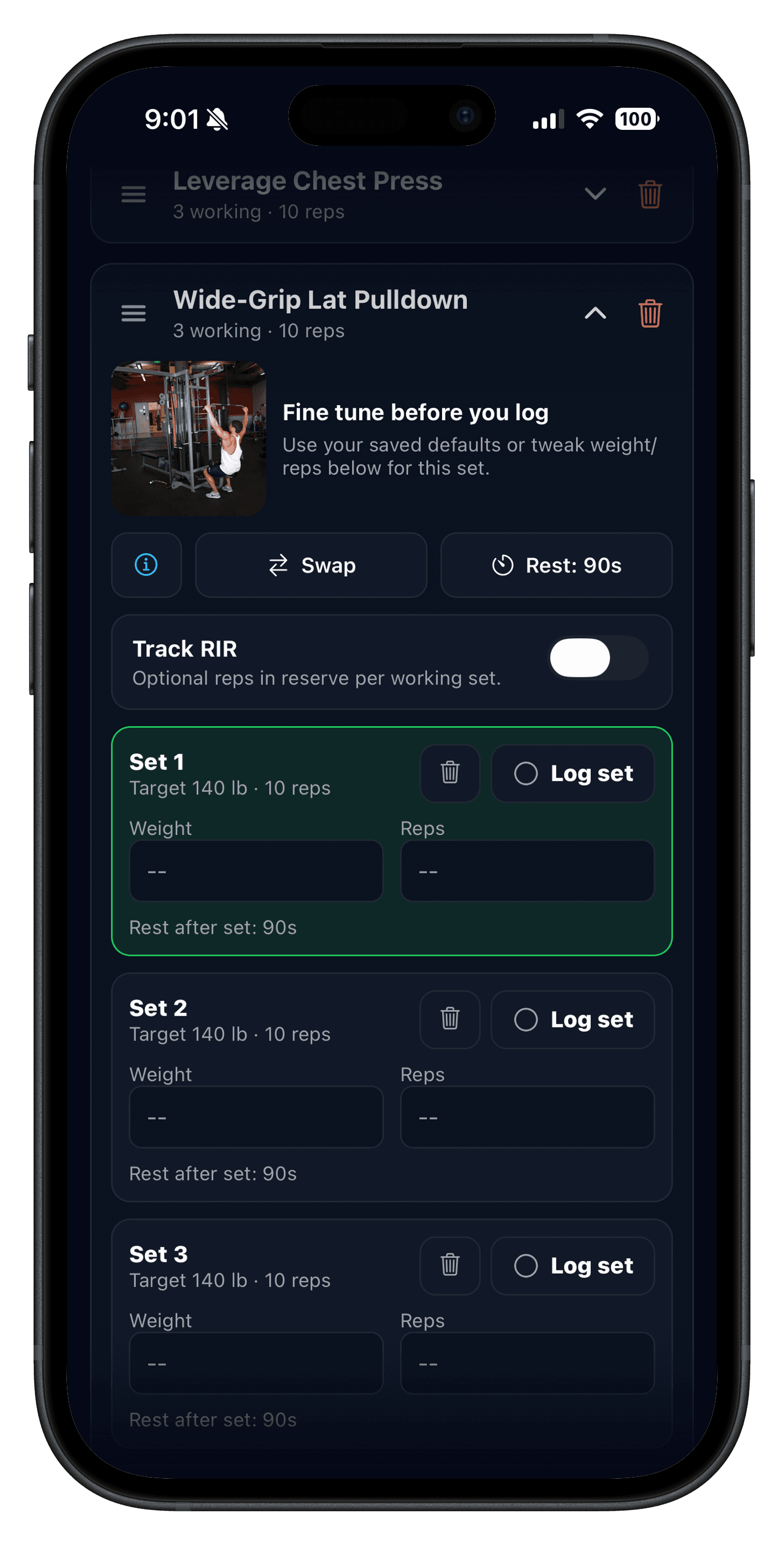
Push/Pull also has a dedicated Apple Watch workout workflow for logging sets and managing the session from the wrist. Its wider experience connects watch logging to iPhone templates, previous values, rest timers, Live Activities, and readiness signals.
Do not choose from a feature checklist alone. Run one normal workout on the watch and test set completion, weight edits, exercise changes, rest timing, and reconnection after using the phone. The better app is the one that stays understandable when you are tired and moving between equipment.
Liftin' pricing and free version vs Push/Pull
Liftin's U.S. App Store listing says its free version supports up to five workouts per month. That is enough to inspect the interface, but not enough for most people training several times per week. The same listing, checked Jul 7, 2026, shows Liftin' Unlimited at $2.99 monthly, $24.99 yearly, or $99.99 lifetime.
Trial wording differs by entry point. The App Store listing describes a one-month introductory offer, while Liftin's official website advertises an extended three-month trial for website signups. Treat the checkout screen tied to your account as the final source of truth.
Push/Pull currently lists a seven-day free trial, then $6.99 monthly or $49.99 annually on its U.S. website. Liftin' is less expensive at the published annual price and offers a lifetime purchase. Push/Pull asks more in exchange for its broader recovery, template-sharing, and accountability workflow. Pay for those differences only if they change how consistently or intelligently you train.
A seven-day Liftin' alternative test
- Build the same two workouts in both apps.
- Log one session on iPhone and one primarily on Apple Watch.
- Check how quickly you can see the previous load before the next working set.
- Compare Liftin's automatic progression result with Push/Pull's suggested target and readiness context.
- Swap one exercise mid-session and confirm the program remains understandable.
- Review the completed week and find one decision you would make differently next time.
Keep the test realistic. Judge each app during the tenth set of a busy workout, when speed, legibility, and reliable sync become obvious.
When Push/Pull is the better Liftin' alternative
- You want progression suggestions but prefer to approve the next load yourself.
- You use muscle readiness and fatigue trends to adjust the day rather than follow one automatic rule.
- You want shareable workout templates or a squad that can see and respond to training activity.
- You want an optional AI planning path without making generated programming the only workflow.
When Liftin' is the better choice
- You want automatic progression rules that can raise or lower weights from results.
- You want built-in versions of established strength programs.
- You need a workout tracker on iPad or Mac as well as iPhone and Apple Watch.
- You prefer Liftin's lower published annual price or lifetime-purchase option.
Related comparisons and guides
- Best Apple Watch Strength Training App
- Best Progressive Overload Apps
- Hevy Alternative: Push/Pull vs Hevy
- Strong App Alternative: Push/Pull vs Strong