TrainHeroic Alternative: Push/Pull vs TrainHeroic for Lifters
A source-checked TrainHeroic alternative guide for lifters deciding between coach-led programming and a faster, self-directed strength logging workflow.
Quick answer: the right TrainHeroic alternative depends on where your plan comes from. Keep TrainHeroic if a coach, team, or marketplace program is directing your training. Choose Push/Pull if you already know your split and want a lighter, self-directed way to log sets, see previous values, make progression decisions, and keep recovery context close to the workout.
This is not a question of whether either app can record a lift. TrainHeroic is built around a coach and program ecosystem, although athletes can create their own sessions. Push/Pull is built around executing the routine you choose with low-friction logging, reusable templates, and decision support during the session.
Source check: Jul 14, 2026. TrainHeroic details below were checked against its athlete support articles and current U.S. App Store listing. Prices, trials, and marketplace offers can change, so confirm the offer shown in your own checkout before subscribing.
- Choose TrainHeroic if you are following a coach, team, or paid plan and want that programming, messaging, and training calendar in one place.
- Choose Push/Pull if you program for yourself and care more about a fast repeatable log, visible previous values, Apple Watch session support, and editable templates.
TrainHeroic vs Push/Pull at a glance
| Decision point | TrainHeroic | Push/Pull |
|---|---|---|
| Best for | Coach-led teams, marketplace programs, and athletes who want assigned training. | Lifters who own their plan and want a focused execution and tracking workflow. |
| Planning | Coach-published sessions, purchased programs, and athlete-created sessions. | Editable templates, custom splits, and an optional AI-generated starting point. |
| During the workout | Session logging, timers, exercise guidance, and calendar-based training. | Fast set logging, previous values, rest timing, and progression cues. |
| Device fit | Official iOS and Android mobile support; current U.S. App Store listing is iPhone-only. | iPhone and Apple Watch workflow for gym sessions and rest timing. |
| Cost model | Free account plus optional Athlete Pro, coach, and marketplace purchases. | A 7-day trial for the full Push/Pull tracking workflow. |
When TrainHeroic is the better choice
TrainHeroic makes the most sense when your training relationship starts outside the app. Its official athlete materials emphasize coach-delivered programming, in-app communication, leaderboards, a marketplace, and training history. If your coach publishes the sessions or you bought a specific program, keeping that plan and its context in one place is usually more valuable than changing trackers.
It can also work for self-programming: TrainHeroic documents that athletes can create their own sessions and track them in the mobile app. That means a switch should be about workflow fit, not an assumption that you need a coach to use it.
When Push/Pull is the better TrainHeroic alternative
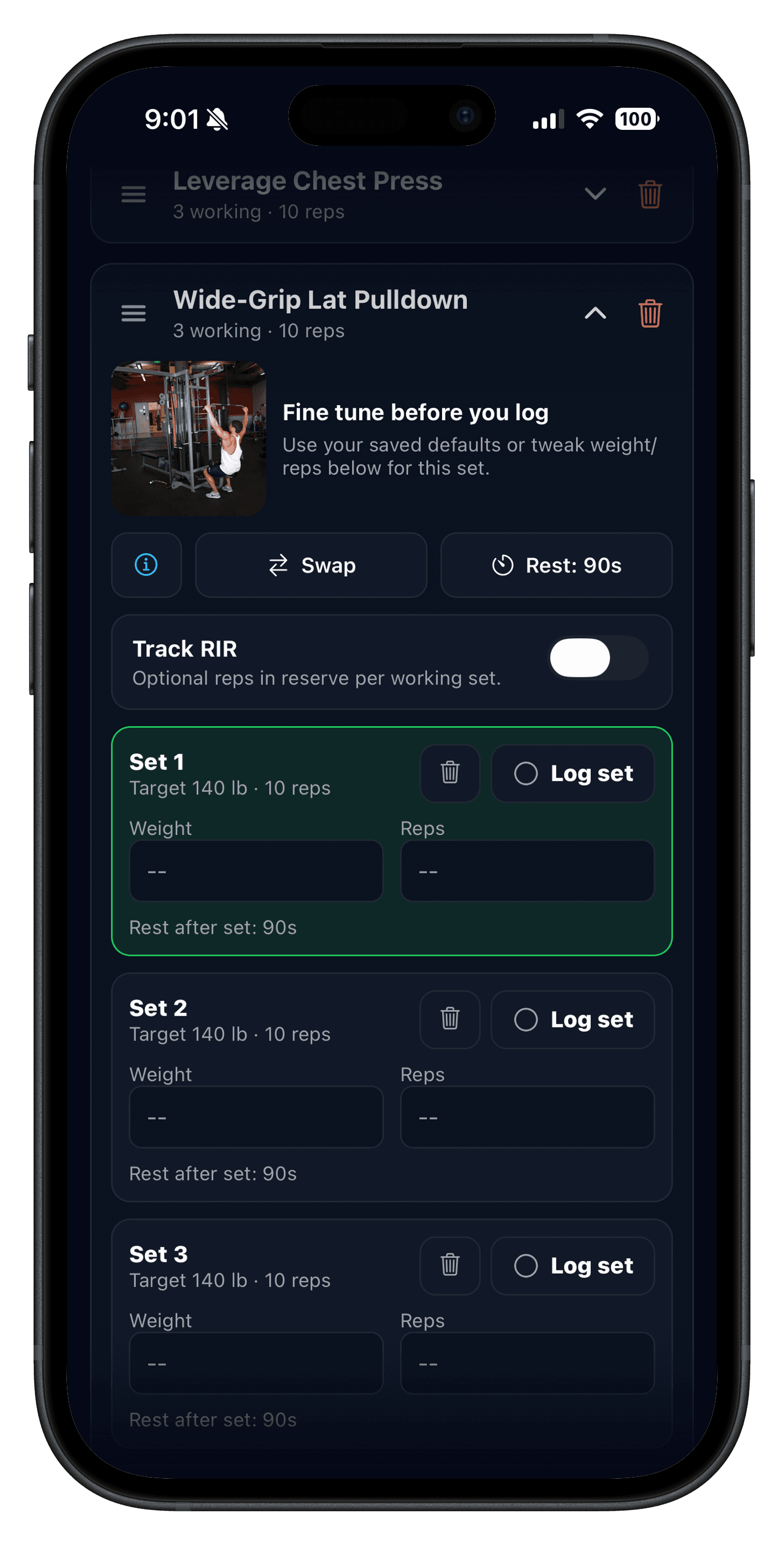
Push/Pull is a better fit when the plan is already yours and the hard part is carrying it out consistently. Start with a reusable workout logging workflow, then use previous workout valuesto compare today's work with the last session without digging through a history screen.
It also gives you a direct Apple Watch path for logging and rest timing. See the Apple Watch workout workflow if you want less phone handling between sets. For progression, the useful question is not whether an app forces a number upward; it is whether it gives you enough context to make a sound decision. Push/Pull pairs the log with progressive overload suggestions and recovery and readiness context while leaving the final call to you.
Pricing and free access: what to verify
TrainHeroic says athletes can start free, create their own training, and log sessions. Its athlete support documentation lists a 14-day Athlete Pro trial, then $4.99 per month or $29.99 per year as of this source check. Athlete Pro is separate from a coach's subscription or a marketplace program, so compare the total cost of the training setup you actually use, not only the app upgrade.
Push/Pull offers a 7-day trial for its tracking workflow. If you are deciding, test the same two or three normal sessions rather than comparing feature lists: build or copy the routine, log work sets, check prior values, adjust one exercise, and review what each app makes clear afterward.
How to switch without losing your training thread
- Keep your current coach's plan if it is still the source of your programming.
- Copy only the next two or three sessions into editable templates; do not rebuild months of history first.
- Run one normal training week and compare logging speed, prior-performance visibility, and post-workout clarity.
- Use the same progression rules you trust before changing the program itself.
If you are also shortlisting apps that are more directly logging-first, read the Hevy alternative comparison and the Strong app alternative comparison.