
Workout App for Skipped Workouts: Keep PPL in Order
A practical guide to choosing a workout app for skipped workouts, rolling PPL splits, and keeping templates in order when your week changes.
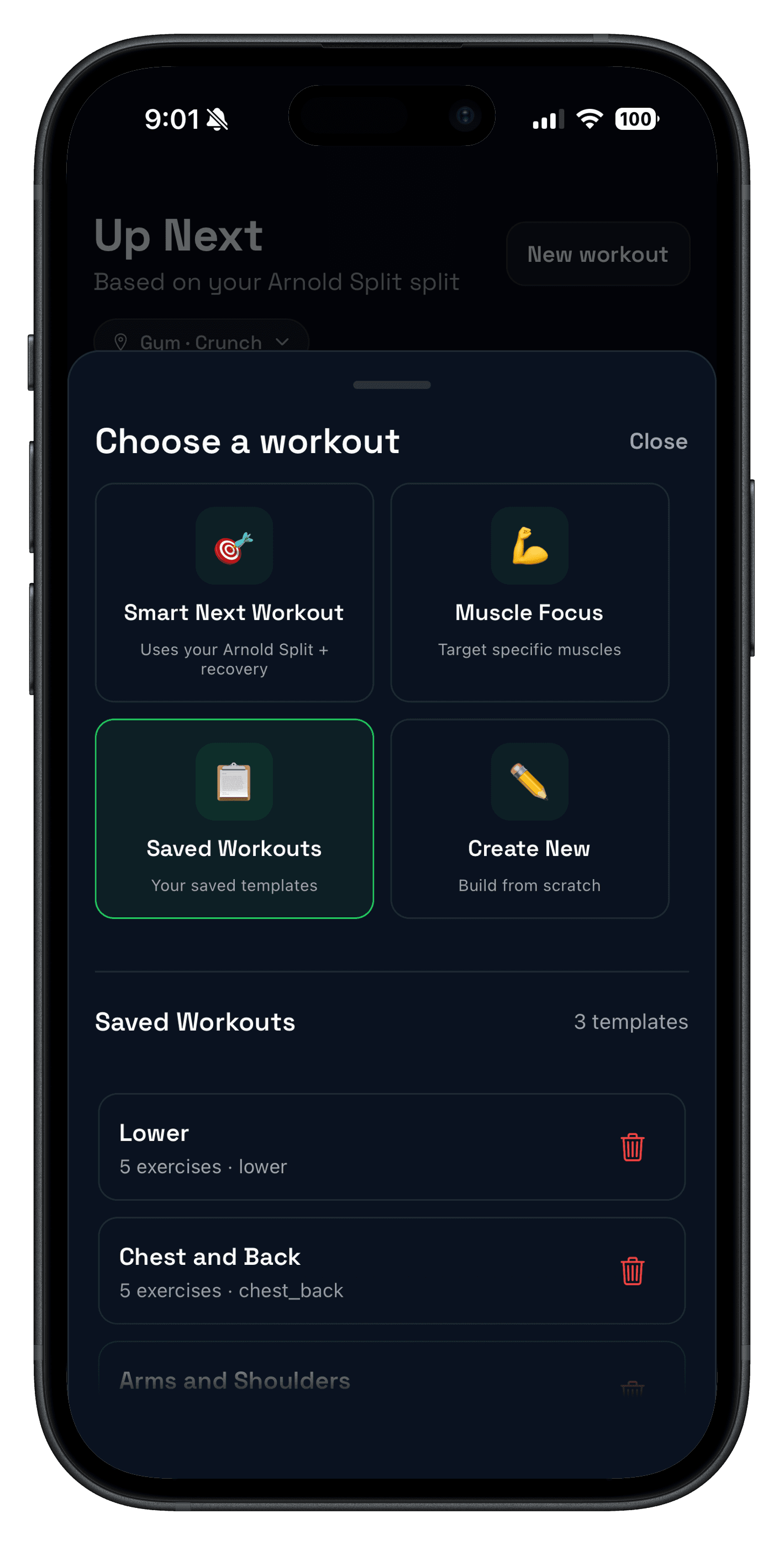
Quick answer: the best workout app for skipped workouts keeps your split rolling forward instead of forcing the calendar to decide. If you miss legs on Wednesday, your next useful session is usually legs, not whatever the calendar says is next.
This matters most for push/pull/legs, upper/lower, and other repeatable splits. One missed workout should not scramble your training week, hide your previous numbers, or make you rebuild templates from scratch.
If you are choosing a push pull legs app, use this guide to test whether the app can handle real life: skipped workouts, moved sessions, crowded gyms, and recovery days that do not land neatly on a calendar.
A strong workout app for skipped workouts should support rolling templates, recent workout history, recovery context, and manual overrides. The goal is not blind automation. The goal is to make the next useful workout obvious.
What makes a workout app for skipped workouts useful?
The useful version is not just a calendar with checkboxes. It needs to understand what you trained recently, which templates belong to the same split, and whether recovery makes the next planned session sensible.
- Rolling split logic: missed sessions move forward instead of disappearing.
- Saved templates: push, pull, legs, upper, lower, or custom days stay ready.
- Recent history: you can see what you actually trained last, not just what was scheduled.
- Recovery context: the app can flag when picking up the skipped day is less useful than resting.
- Manual control: you can override the suggestion when your gym, schedule, or soreness changes.
Calendar split vs rolling split
Fixed calendar plans work when your week is predictable. Rolling splits work better when training days move. Most lifters need the second option more often than they expect.
| Approach | Best for | Skipped workout behavior | Main risk |
|---|---|---|---|
| Fixed calendar split | Predictable weeks with consistent training days. | Monday push, Wednesday pull, Friday legs stay tied to dates. | Missing a day can quietly remove that session from the week. |
| Rolling split | Busy lifters, shift schedules, travel weeks, and flexible PPL. | The next needed day remains next until you complete it or intentionally skip it. | Needs history and recovery checks so the sequence does not become mindless. |
| Recovery-aware rolling split | Lifters who want structure without ignoring fatigue. | The app points you toward the next split day or a rest day based on context. | Still requires judgment if soreness, sleep, or equipment changes. |
How to keep push pull legs in order after a missed workout
Push/pull/legs is easy when every week is perfect. The real test is what happens after a missed session. Use this sequence before you start the next workout.
- Check the last completed split day, not just the calendar.
- Keep the next incomplete template at the top of the queue.
- Review recovery for the muscles that would train next.
- If recovery is fine, pick up where the split left off.
- If recovery is poor, move the session or choose the least-overlapping day.
- Log the session under the correct template so future comparisons stay clean.
If you are still deciding whether PPL fits your schedule, compare it with the workout split generator and the workout splits guide before building a long block.
What Push/Pull does when your week changes
Push/Pull is built around repeatable templates, recent workout history, and recovery-aware next-session decisions. That makes it a better fit for real schedules than a plan that assumes every Monday, Wednesday, and Friday will happen perfectly.
- Workout templates keep push, pull, legs, upper, lower, or custom days ready to run.
- Up Next recommendations use recent training, recovery signals, and saved templates to suggest the right split.
- Muscle readiness scores help you decide whether picking up the skipped day is smart or whether rest should win.
- Fast workout logging keeps sets, reps, weight, and rest details attached to the right workout, even when the day moved.
The important distinction: you still control the session. Push/Pull makes the decision clearer; it does not force a rigid rotation when your body or schedule says something else.
When not to auto-rotate a skipped workout
Auto-rotation is useful until it ignores the reason you skipped the session. Do not blindly pick up the next workout if one of these is true:
- You skipped because the target muscles were still sore or performance was dropping.
- The next day would stack heavy lower-body or low-back fatigue too tightly.
- Your gym constraints make the planned session unrealistic today.
- You have missed enough sessions that the whole week needs a simpler reset.
In those cases, the best app workflow is not automatic rotation. It is quick review, a deliberate change, and a clean log so the next week still makes sense.
The 7-day test for a skipped-workout app
Before trusting any workout planner app with a flexible schedule, test it:
- Create three templates: push, pull, and legs.
- Intentionally move one session by a day.
- Check whether the app keeps the next needed template obvious.
- Log every set with reps, weight, and rest during normal training.
- After the week, confirm you can see which day moved and what to repeat next.
If the app makes that week feel clear, it can probably handle your actual schedule. If it hides the sequence, loses previous numbers, or turns one missed day into a full rebuild, the workflow is too fragile.
Who this is for
- PPL lifters who miss occasional sessions and want the split to stay in order.
- Busy trainees who need a workout planner app that works around real life.
- Intermediate lifters who care about comparing like-for-like sessions across weeks.
- Anyone replacing notes or spreadsheets with a more structured strength training tracker.
If you need the broader planning workflow, read Workout Planner App: How to Build a Plan You Will Actually Follow.
FAQ
What is the best workout app for skipped workouts?
Should a push pull legs app auto-rotate skipped workouts?
How do I keep PPL in order if I miss leg day?
Is a rolling split better than fixed calendar days?
What should a workout app track when plans change?
Related reading
- Push Pull Legs App for PPL Templates
- Workout Splits: Pros, Cons, and How to Choose
- Workout Split Generator
- Workout Planner App Guide
Keep the split moving when the week changes
Push/Pull helps you run repeatable templates, review recent training, and choose the next useful session without rebuilding your plan after one missed workout.